
How to Create IT Issue Remediation Workflows for Enterprise Teams
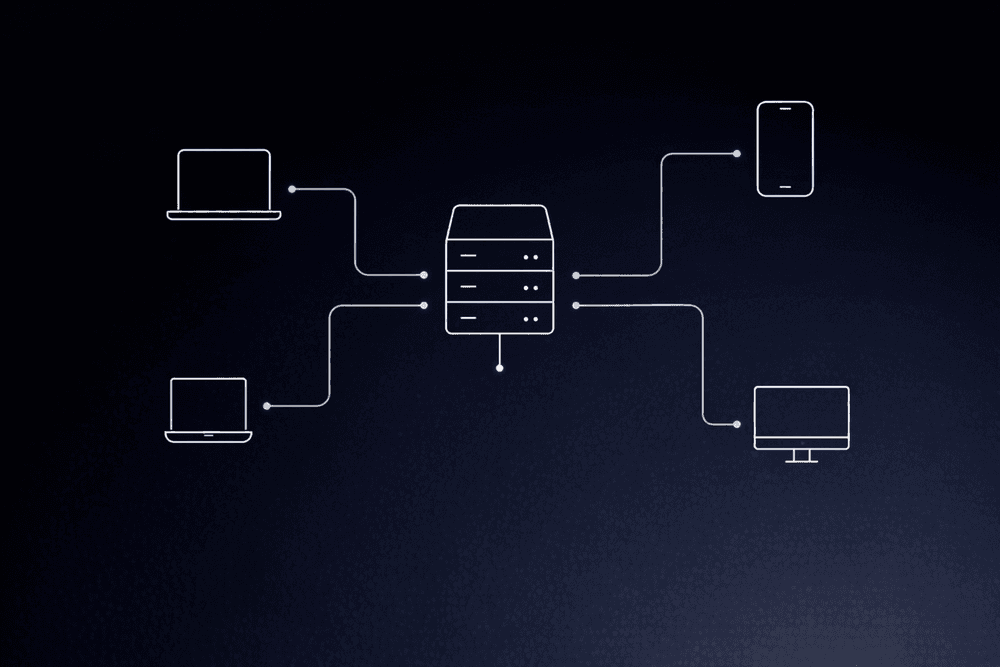
In large enterprises, a single IT incident often crosses multiple business systems and cloud environments before the root cause is clear. This slows response times, causes context loss, and raises compliance concerns. When the workflow governing that response exists only as tribal knowledge and email threads, every incident becomes a fire drill.
At enterprise scale, the cost of a slow or broken remediation workflow is high.
What Is an IT Issue Remediation Workflow?
An IT issue remediation workflow is the structured sequence of activities that govern how an organization detects, responds to, resolves, and learns from service disruptions. At enterprise scale, these workflows span multiple support tiers, technology domains, and organizational boundaries.
Every remediation workflow includes incident management and problem management. Incident management focuses on restoring normal service as fast as possible; speed is the priority. Problem management focuses on identifying root causes to reduce the likelihood of future incidents; correctness takes precedence over speed. ITIL (Information Technology Infrastructure Library) covers both.
A well-designed workflow moves through nine stages, each with defined ownership, clear triggers, and explicit handoff criteria:
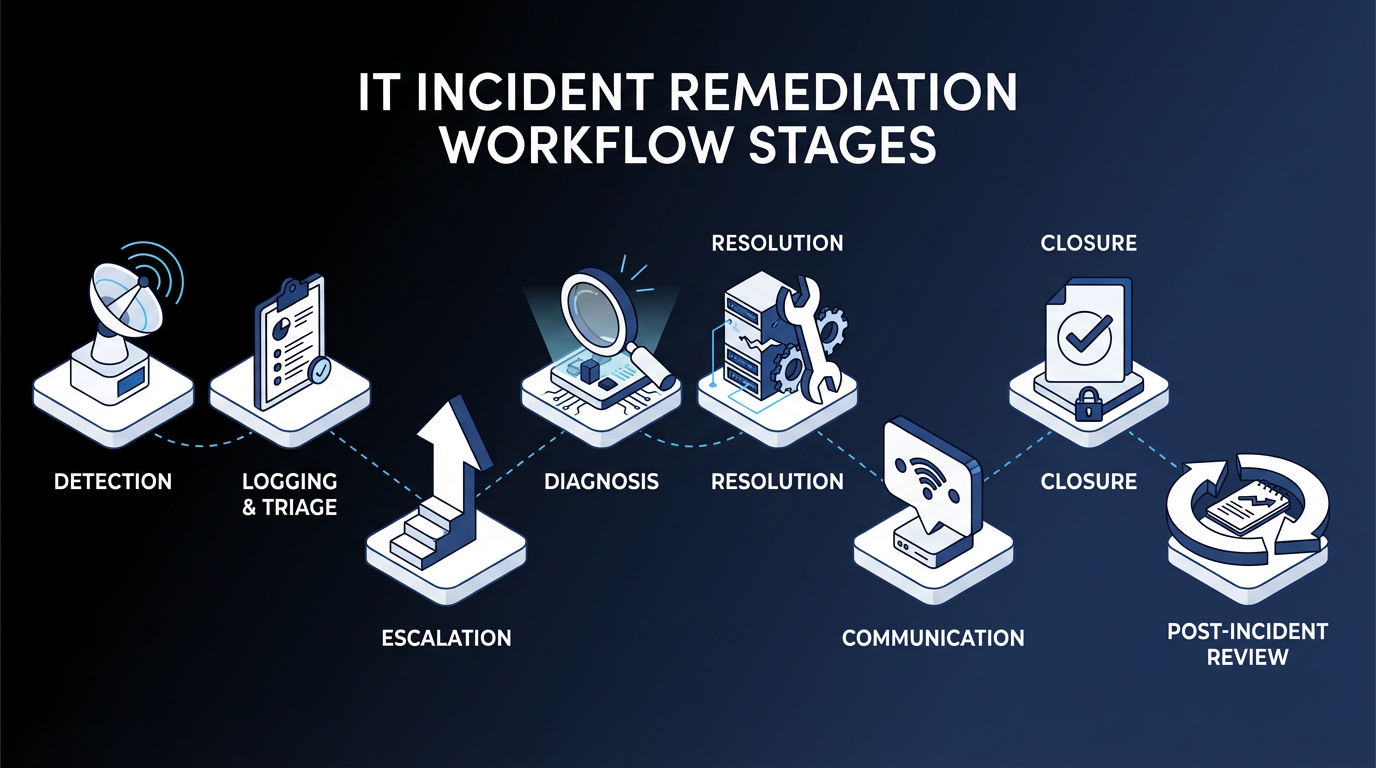
- Detection
- Triage
- Escalation
- Diagnosis
- Resolution
- Communication
- Closure
- Post-incident review
- Continual improvement
7 Steps to Build Enterprise Remediation Workflows
Enterprise remediation workflows break down when incident volume scales, teams change, or cross-system dependencies multiply. These seven steps address each of those failure points with a path from process documentation to governed, auditable workflows.
Step 1: Map Your Current-State Processes Before Touching Any Tool
Before introducing automation, take the time to map your current remediation process. Document every action, decision point, handoff, role, system, and SLA target, including the informal steps that were never written down.
Prioritization should be driven by business impact, not internal IT preferences. Start with the areas where failure is most costly: high-priority incidents, frequently escalated issues, and categories with the longest mean time to resolution (MTTR).
Step 2: Align Stakeholders Before You Design
Designing a remediation workflow requires input from multiple stakeholders, and misalignment at this stage can slow progress later on. Business unit leaders define impact and urgency from a business perspective, while security teams often require separate escalation paths. Infrastructure, application, and end-user support teams each bring their own domain-specific requirements.
Before moving into design, align on definitions of priority, escalation authority, and the scope of automation. Unresolved assumptions at this stage often surface later as routing conflicts or rework.
Step 3: Build Your Priority Matrix and SLA Tiers
A priority matrix balances impact and urgency so incidents can be assigned, communicated, and resolved appropriately. Without it, escalation logic and automation thresholds have no foundation.
Answer these questions to guide the classification:
- How does the incident affect productivity?
- How many users are impacted, and what type of users are they?
- How many systems or services does it affect?
- How critical are those systems to the business?
Note that severity and priority are not the same thing. Severity refers to the impact on users and systems; priority determines the urgency of response. Treating them as the same creates routing errors that cascade through downstream workflow steps.
Step 4: Design Escalation Paths with Explicit Triggers
Document escalation paths and enforce them consistently.
Effective escalation depends on accurate categorization and routing. When an organization classifies incidents correctly, they reach the right teams faster, reducing delays and unnecessary handoffs.
Step 5: Define What to Automate and Where Humans Stay in the Loop
Some remediation steps are strong candidates for automation; others require human judgment throughout. The strongest case for automation is repetitive, rule-based work that teams handle the same way every time.
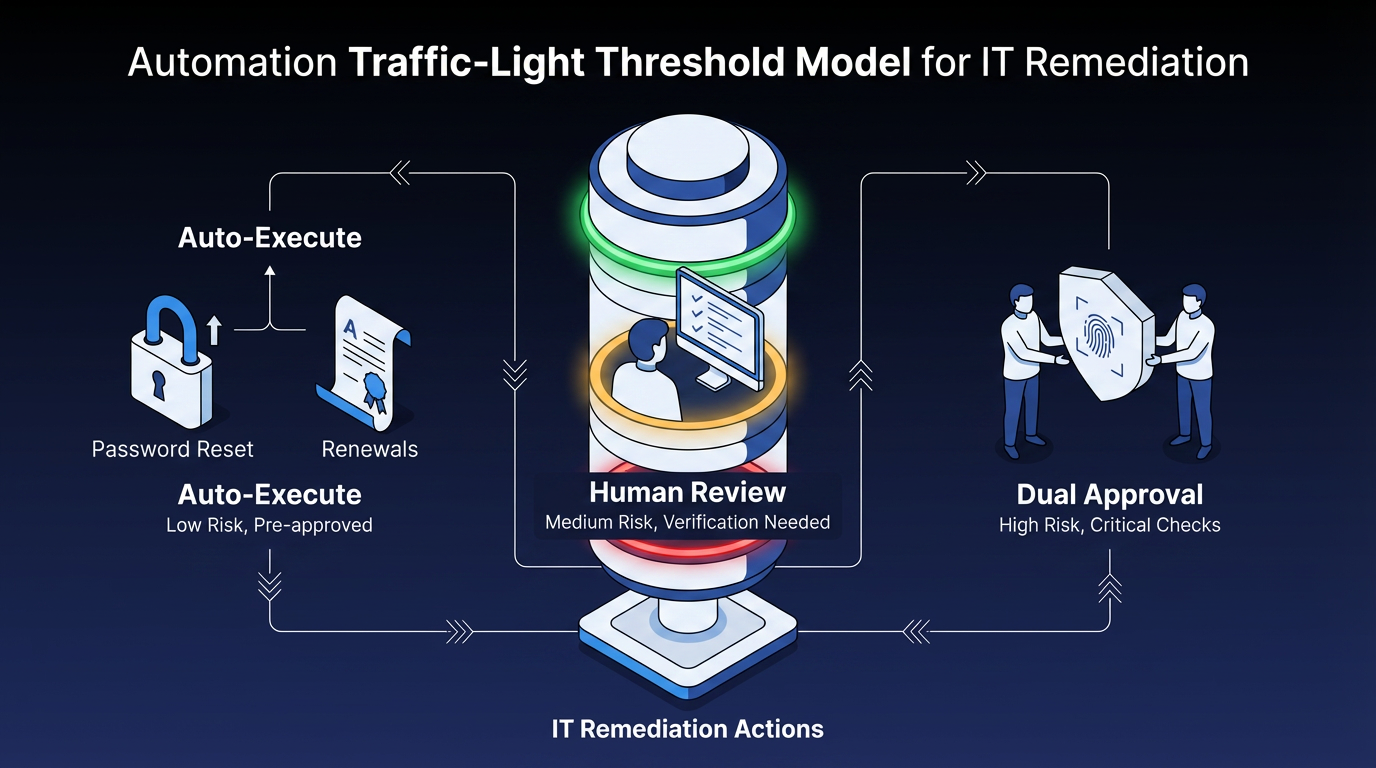
Use a traffic-light model to keep automation thresholds consistent:
- Green (low-risk, high-confidence): Auto-execute with light sampling. Password resets, certificate renewals, and known-pattern service restarts.
- Amber (medium risk or uncertain): Route to human review queues with clear SLAs. The system presents a recommendation; a person confirms.
- Red (high-risk or policy-breaking): Block execution, escalate, and require dual-control approval. Production database changes, standby region modifications, and rollback decisions.
Many enterprises run workloads across multiple cloud regions, the geographic zones where cloud providers host infrastructure. In a multi-region deployment, a standby region may not serve active traffic but is critical for failover. Automated responses to cost-reduction signals can misread standby capacity as idle and modify those resources, causing a severe impact when traffic later fails over. Any automated action affecting infrastructure that is not actively serving traffic needs an explicit human decision point, because the downstream impact is not visible from the triggering signal alone.
Step 6: Design the Integration Architecture
Enterprise remediation workflows often span multiple systems, and the architectural challenge is coordination without brittle point-to-point connections.
A coordinated remediation pipeline moves through four stages:
- Detection: emits events from monitoring tools
- Correlation: reduces noise and groups related events across systems
- Central triage: classifies the incident and determines the remediation path
- Execution: dispatches actions to target systems
Keep each platform focused on the records and transactions it manages, and let an orchestration layer handle execution, resilience, and end-to-end visibility. Each system action should describe the end state you want (not the steps to get there) and produce the same result whether it runs once or several times. The orchestration layer then handles the order and dependencies across those actions.
For multi-step actions that need to be reversible, each step should carry its own undo action that runs if a later step fails. Skipping that design choice has real consequences. Automation that cannot safely retry or roll back can cascade across systems at scale, taking days of engineering work to audit and weeks to resolve.
Step 7: Pilot, Then Iterate with Post-Incident Reviews
Select a use case with high ticket volume, clearly defined workflows, and a low barrier to automation. Then, measure impact before expanding the scope.
AI Infrastructure and Operations (I&O) initiatives often struggle to deliver ROI when they are too ambitious or poorly scoped. Starting with a narrow, well-defined use case improves the likelihood of success and makes it easier to measure impact before expanding.
You can use runbooks and playbooks to turn on-the-job experience into shared knowledge that is accessible across the team, regardless of tenure. Running mock drills for major incident scenarios also helps teams build consistent response patterns before real incidents occur.
After go-live, post-incident reviews become your primary mechanism for improvement. Teams should track, prioritize, and act on improvement items, rather than filing them away and forgetting them.
Where AI Adds Value in IT Remediation
The strongest near-term AI value across these seven steps is in alert noise reduction and intelligent triage. Both involve repetitive classification and routing decisions that sit upstream of any higher-risk execution step.
Start AI investment in the detection and triage layers. Limit autonomous execution to the lowest-risk, highest-frequency, most predictable incident types, then expand based on data.
Early-stage AI deployment tends to add operational overhead before reducing it, which makes governed workflows especially important during the transition: they define when agents act, when rules apply, and when humans decide.
How Elementum Future-Proofs IT Issue Remediation Workflows
IT issue remediation is a coordination challenge across systems, teams, and decision types that already exist in your environment. Every week, those workflows remain manual and ungoverned, and costs climb.
Elementum's Workflow Engine gives humans, business rules, and AI agents equal standing in any process, with configurable confidence thresholds governing the handoff between automated action and human review and every agent action logged and auditable. Enterprise IT teams typically start with one scoped workflow (often incident triage or ticket routing) as a de-risked entry point, then gradually move more of the ITSM portfolio onto the same orchestration layer.
For organizations ready to consolidate, Elementum can replace legacy ITSM platforms outright.
The same architecture extends beyond IT. Teams that start with remediation commonly expand Elementum into procurement, HR, and finance operations within the same budget cycle. Our patented Zero Persistence architecture keeps your data where it lives (never trained on, replicated, or warehoused), and production deployment targets 30 to 60 days for scoped workflows with no rip-and-replace required.
Contact us to map remediation into your IT workflow and your broader AI roadmap.
FAQs About IT Issue Remediation Workflows for Enterprise IT Teams
Which IT Remediation Tasks Are Safe to Fully Automate?
High-volume, low-risk tasks with well-defined rules and predictable inputs are safe to fully automate. This includes password resets, certificate renewals, known-pattern service restarts, and standard software provisioning. If the remediation is deterministic and repeatable, automate it; if it requires judgment, page a human. Fully automated processes still need monitoring, circuit breakers, rollback capabilities, and human override mechanisms, because a fast workflow can scale mistakes just as quickly as it scales routine fixes.
How Do Enterprise Teams Integrate Automated Remediation with Existing ITSM Platforms Without Rip-and-Replace?
Use an orchestration layer that sits above existing systems through application programming interface (API)-based connectors rather than replacing them. Keep the existing ITSM system as the system of record while an external orchestrator handles execution, resilience, and end-to-end visibility. Teams ready to consolidate further can use the same orchestration layer to eventually replace their ITSM platform, but most enterprises start by layering the orchestrator alongside existing systems before any replacement.
How Do Companies Maintain Compliance and Audit Trails When Remediation Actions Execute Automatically?
Enterprise-grade automated remediation requires credentials kept separate for each customer environment, OAuth 2.0 (an open authorization standard) on every integration, full audit logging of every agent action, and Role-Based Access Control (RBAC). Treating escalation policies and version-controlled runbooks as code provides inherent audit trails. Without these controls, automated remediation creates audit gaps and unauthorized execution paths that are difficult to reconstruct after an incident.
What Are the Real Security Risks of Using AI in Incident Management?
Security risk is the top barrier most organizations cite when expanding AI use in incident management. Mitigation requires configurable confidence thresholds, explicit human-in-the-loop gates for high-risk actions, and full audit logging before any AI agent reaches production. Without those controls, high-risk decisions move faster than governance can keep up with.
How Do Enterprises Standardize Remediation Workflows Across Distributed Teams?
A blended orchestration model works best. Give each team local autonomy for system-specific tasks within their domain, and pair that with centralized oversight for end-to-end coordination. Run cross-team incident reviews alongside team-level reviews for localized learning. Codify runbooks as version-controlled artifacts; this provides standardization without removing team-level customization rights, which keeps drift in check without forcing every team into an identical operating model.
Keep Reading
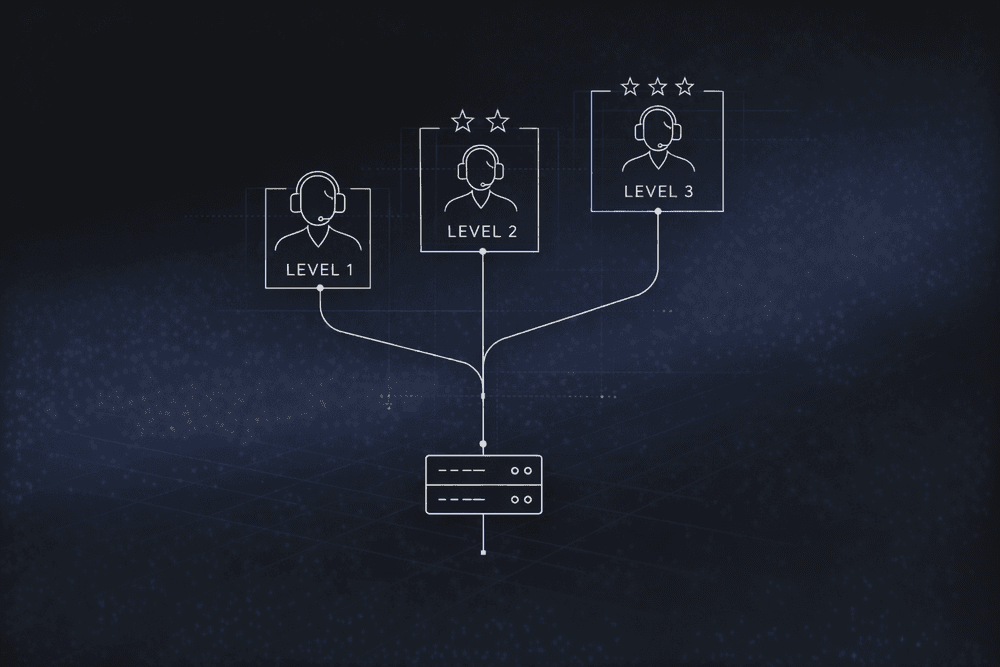
How to Build an IT Issue Escalation Process That Scales
The Enterprise Guide to Agentic AI for ITSM
Human-in-the-Loop vs. Human-on-the-Loop: When to Use Each for Enterprise Workflows

Human-in-the-Loop Agentic AI: How Enterprise Teams Deploy Agents Without Losing Control
How To Set Up an AI-Powered IT Service Desk Workflow
How to Implement IT Process Automation for Enterprise Teams in 2026