
9 Best Workflow Orchestration Tools in 2026
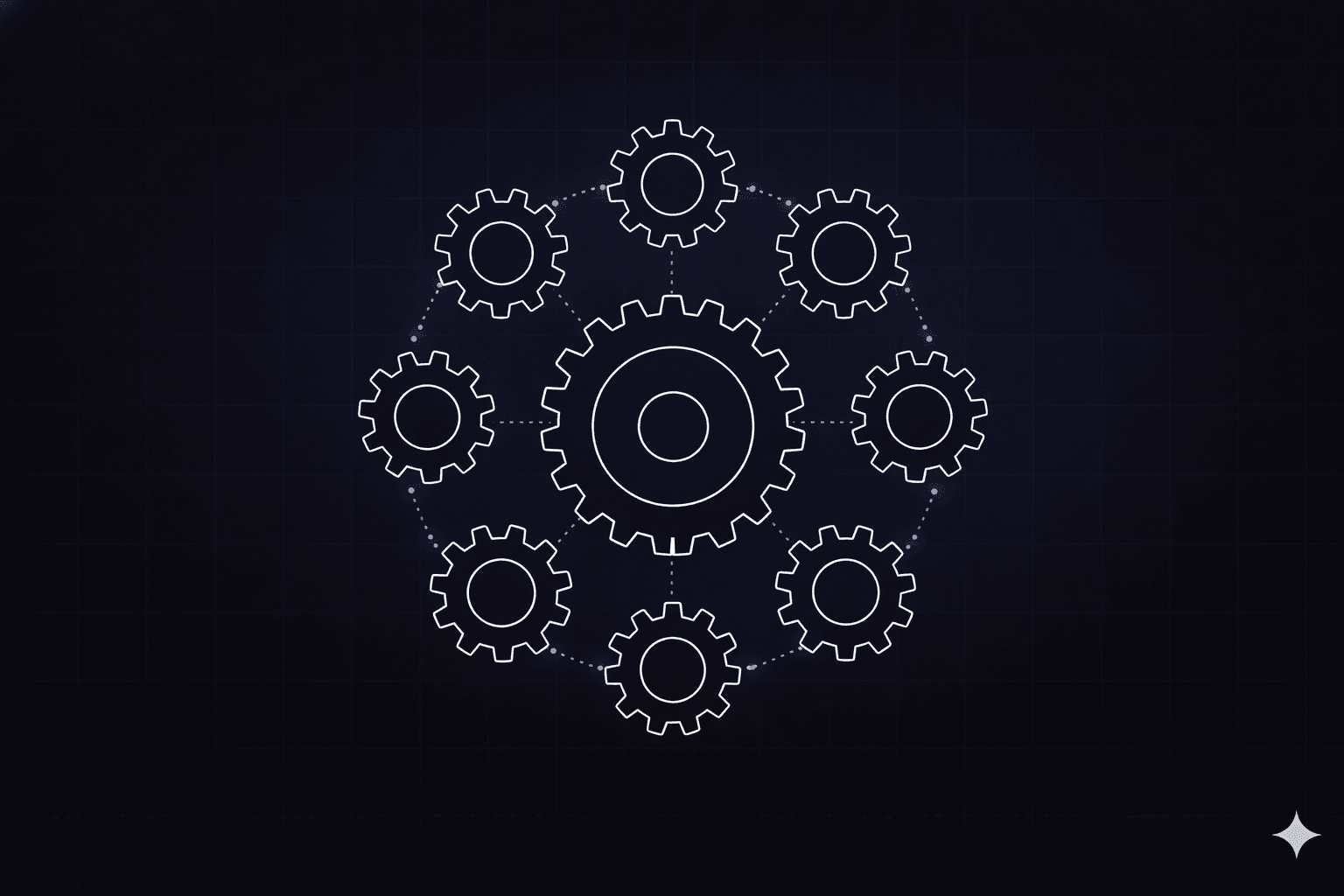
Workflow orchestration tools help enterprise teams manage processes that span multiple systems, teams, and applications without relying on manual coordination. As workflows grow more complex, the right tool determines how efficiently work moves between systems and how well teams can maintain visibility and control.
Workflow orchestration differs from simple automation in one critical way: it coordinates the sequence, conditions, and handoffs across every participant in a process, including human reviewers, business rules, AI agents, and downstream systems, under a single governed layer. Without orchestration, even well-automated steps drift into fragmented silos that are difficult to audit, scale, or recover when something breaks. This guide compares nine vendors against the criteria that matter most for enterprise buyers.
What Is Workflow Orchestration?
Workflow orchestration is the coordination of automated tasks, human decisions, business rules, and AI actions into a sequenced, end-to-end process with defined handoffs, error handling, and audit trails. An orchestration engine manages the state of each process instance, including what has happened, what comes next, and who or what is responsible.
Modern orchestration platforms apply workflow governance to AI agents. Every AI-driven step inside a workflow remains subject to the same approval gates, decision thresholds, and rollback logic applied to any other step.
Task automation tools execute individual, predefined actions, such as robotic process automation (RPA) bots and scripts. Workflow engines add conditional sequencing and state tracking, while orchestration platforms coordinate workflows, agents, humans, and systems end-to-end across an enterprise.
The best workflow orchestration tools connect existing systems without replacing them and expose every decision to governance controls. They also scale from one process to an enterprise-wide portfolio without requiring architectural rewrites.
9 Workflow Orchestration Tools Compared
The comparison covers eight workflow orchestration vendors across legacy workflow platforms, agent-first approaches, cloud-native control planes, and open orchestration. It also includes Elementum, an AI-native enterprise application platform that replaces enterprise applications.
| Tool | Best For | AI Agents | Data Model | Deployment |
| Elementum | Enterprise cross-system applications | ✓ Native | Zero Persistence | Cloud / Hybrid |
| ServiceNow | ITSM-centric AI extension | ✓ Agent Fabric | Vendor-hosted | Cloud |
| Pega | Regulated BPM with AI decisioning | ✓ Agentic Fabric | Vendor-hosted | Cloud / On-prem |
| Appian | FedRAMP low-code automation | ✓ Agent Studio | Data Fabric | Cloud / FedRAMP |
| Salesforce Agentforce | CRM-embedded agentic AI | ✓ Atlas Reasoning | Data Cloud | Cloud |
| Microsoft Copilot Studio | M365 and Azure-native teams | ✓ Copilot Agents | Dataverse | Cloud |
| Google Cloud Workflows | GCP-native serverless orchestration | ✓ Agent Engine | GCP-managed | Cloud |
| AWS Step Functions | Developer-centric AWS workflow | ✓ Bedrock AgentCore | AWS-managed | Cloud |
| Camunda | BPMN-based process orchestration | ✓ Embedded | Open-core | Cloud / Self-managed |
1. Elementum
Elementum is an AI-native enterprise application platform, the AI-native replacement for legacy SaaS, designed to help enterprise teams manage processes that span multiple systems, teams, and decision types. It is built for organizations that need to coordinate automated steps, human input, and AI-driven decisions without moving data into a separate system.
Built around a deterministic Workflow Engine, Elementum treats humans, business rules, and AI agents as equals.
Elementum's Zero Persistence architecture queries data in real time from systems like Snowflake, Databricks, AWS, and Azure, without copying or storing it elsewhere. Your data is always yours: we never train on, replicate, or warehouse your data.
Elementum is pre-integrated with OpenAI, Gemini, Anthropic, Amazon Bedrock, and Snowflake Cortex, so teams can swap models without rebuilding workflows. Our customers include Sanofi, Snowflake, Under Armour, and Elevance Health.
Enterprise teams typically start with one scoped workflow as a de-risked entry point, with a first application in production in approximately 90 days. They then gradually replace more of the application portfolio through the same platform. For organizations ready to consolidate, Elementum can ultimately replace legacy workflow and ITSM platforms. Until then, it governs the workflows that matter most while existing systems continue to run beneath the surface.
Key Features
- Visual no-code workflow builder with native connectivity to SAP, Salesforce, Oracle, and 200+ enterprise systems
- Real-time data connectivity through CloudLinks: no replication or migration
- The Workflow Engine (Trident) routes each step to the right handler, treating deterministic rules, AI agents, and human reviewers as equals
- Single Front Door routes incoming requests to the right workflow, agent, or human without manual triage
- Zero Token Burn skips model calls on steps that don't need one and routes the rest to a model suited to the task, so AI spend doesn't scale with unnecessary inference
- Model, data, data-platform, and interface portability: swap models, change cloud or data platforms, retain full data ownership, and change interfaces without rebuilding workflows
Pros
- Zero Persistence architecture keeps customer data sovereign
- Model-agnostic and cloud-agnostic design
- Production deployment in approximately 90 days with Service Organization Control 2 (SOC 2), General Data Protection Regulation (GDPR), California Consumer Privacy Act (CCPA), Sarbanes-Oxley (SOX), and Health Insurance Portability and Accountability Act (HIPAA) alignment
Cons
- Scope fit for enterprise scale: organizations with simpler or smaller needs may find the platform broader than required
Pricing
Custom enterprise pricing.
Who Is Elementum Best For?
Enterprise IT leaders who need to coordinate AI agents, human decisions, and business rules across existing systems without data replication or year-long timelines, and organizations looking to replace legacy SaaS with workflows built natively on their own data infrastructure.
2. ServiceNow
ServiceNow evolved from IT service management (ITSM) into an AI-focused workflow platform spanning IT, HR, customer service, and security. Its AI stack includes Now Assist, Agent Fabric, and AI Control Tower.
Key Features
- AI Agent Fabric connects native and third-party agents
- AI Control Tower monitors AI assets
- Agents with long-term memory and configurable approval gates
Pros
- Unified workflow across multiple functions
- Large installed base and partner network
- Ongoing AI investment
Cons
- High pricing and complex updates
- Customizations beyond core ITSM use cases can hit platform limits as implementation complexity grows
- AI layered onto an ITSM-centric core
Pricing
Negotiated directly.
Who Is ServiceNow Best For?
Large organizations already invested in the Now Platform looking to extend ITSM, HR, and security workflows with AI agents.
Learn more about the best ServiceNow alternatives.
3. Pega
Pega targets organizations needing tightly governed process execution and AI-augmented decisioning in regulated environments.
Key Features
- Agentic Process Fabric with Model Context Protocol (MCP) and Agent-to-Agent (A2A) protocol support
- Agent Tracer for run-time diagnostics
- Pega Blueprint generates application components from natural language
Pros
- "Predictable AI" approach emphasizes governance
- Decades of business process management (BPM) and case-management maturity
- Strong versioning and reusability
Cons
- High cost is a recurring concern in customer reviews
- Cloud-linked generative AI may add migration pressure for on-premise customers
- Implementation complexity in regulated settings
Pricing
Not publicly disclosed.
Who Is Pega Best For?
Highly regulated organizations in banking, healthcare, and government that need AI-augmented decisioning within strict governance.
4. Appian
Appian provides low-code process automation with formal governance controls and Federal Risk and Authorization Management Program (FedRAMP) authorization.
Key Features
- Agent Studio for governed AI agents
- Data Fabric unifies data with AI-powered retrieval
- Availability across self-managed and FedRAMP environments
Pros
- Broad security certifications (SOC 2, FedRAMP, HIPAA)
- Low-code development accessible to business users
- Eight-week delivery guarantee for first app
Cons
- Agent Studio is available only at Appian's higher-cost tiers, gating AI capabilities behind more expensive plans
- Data Fabric row limits and monthly AI action caps
- AI added onto an established BPM core
Pricing
Tiered per-user subscriptions; Community Edition is free.
Who Is Appian Best For?
Regulated organizations needing low-code automation with private-cloud or FedRAMP deployment options.
5. Salesforce Agentforce
Salesforce fits teams with a deep Salesforce footprint wanting AI agents embedded in CRM-centered workflows.
Key Features
- Atlas Reasoning Engine decomposes prompts into tasks
- Einstein Trust Layer provides grounding and zero data retention
- Large language model (LLM) call volume reporting for digital labor observability
Pros
- Native CRM context out of the box
- Agents embedded across the Salesforce estate
- Cross-channel engagement capabilities
Cons
- Steep configuration learning curve
- Data Cloud is a prerequisite for advanced features
- Limited reach beyond Salesforce products and integrations
Pricing
- Flex Credits: $500 / 100,000 credits
- Conversations: $2 / 24-hour session
- Agentforce Add-On: $125 / user/month
Who Is Salesforce Agentforce Best For?
Organizations heavily invested in Salesforce CRM seeking agentic AI in sales, service, and marketing workflows.
6. Microsoft Copilot Studio and Power Automate
Microsoft serves organizations already standardized on Microsoft 365 and Azure. It offers Copilot Studio for agent building and Power Automate for workflow execution.
Key Features
- Microsoft Agent 365 control plane with Entra Agent ID
- Deep integration with Purview auditing and Sentinel threat detection
- Process Mining included with Power Automate
Pros
- Enterprise security integration across Entra, Purview, and Sentinel
- Transparent licensing with pay-as-you-go options
- Broad connectors across Microsoft stack
Cons
- 30-day workflow limit in Power Automate
- Cross-stack orchestration outside Microsoft 365 and Azure requires more custom work
- Dataverse storage costs accumulate independently, which can affect total cost of ownership (TCO)
Pricing
- Microsoft 365 Copilot: $30 / user/month
- Copilot Studio capacity: $200 / 25,000 credits
- Power Automate Premium: $15 / user/month
Who Is Microsoft Best For?
Organizations deeply invested in M365 and Azure needing secure, governed AI and workflow tooling.
7. Google Cloud Workflows and Vertex AI Agent Builder
Google Cloud offers managed AI services and deterministic orchestration for teams on Google Cloud Platform (GCP).
Key Features
- Serverless Agent Engine with token, latency, and error dashboards
- 100+ connectors and 200+ models via Model Garden
- Open-source Agent Development Kit for LangChain, CrewAI, and more
Pros
- Agent identities managed as identity and access management (IAM) principals
- Consumption-based pricing with a perpetual free tier
- Broad model and connector catalog
Cons
- Deterministic and agent orchestration split across two services
- Low-code Agent Designer still in Preview
Pricing (US-East)
- Cloud Workflows internal steps: $0.01 / 1,000
- Agent Engine compute: $0.0864 / vCPU-hour
Who Is Google Cloud Best For?
Organizations already on GCP needing scalable AI agents with granular IAM controls.
8. AWS Step Functions and Bedrock AgentCore
AWS provides Step Functions for deterministic workflows and Bedrock AgentCore for AI agents.
Key Features
- AgentCore sessions up to eight hours with CloudTrail logging
- Step Functions Standard and Express workflows
- Sandboxed AgentCore Browser for safe web interaction
Pros
- Long-running agent sessions
- Access to OpenAI frontier models via Bedrock
- Flexible stateful orchestration options
Cons
- Two separate orchestration layers add complexity
- No low-code agent design tool
- Higher compute rates than comparable GCP services
Pricing
- Step Functions: $0.000025 / state transition
- AgentCore compute: $0.0895 / vCPU-hour
Who Is AWS Best For?
Organizations with deep AWS investments needing developer-centric AI agents and structured workflows.
9. Camunda
Camunda fits developer-driven teams wanting Business Process Model and Notation (BPMN)-based process orchestration with embedded agentic AI.
Key Features
- Agentic orchestration inside BPMN workflows
- RPA and AI connectors, including MCP support
- Administrator controls to halt or redirect agent actions
Pros
- Vendor-neutral BPMN notation
- Open-core transparency with commercial support
- Deterministic backbone with interruptible agent actions
Cons
- Steep learning curve and limited UI for business users
- Enterprise license required for production Zeebe engine
- Smaller partner and integration network than legacy enterprise vendors
Pricing
- Free SaaS tier (5 seats, 30-day Enterprise trial)
- Free self-managed (non-production)
- Enterprise: fully negotiated
Who Is Camunda Best For?
Internal platform and engineering teams building governed, portable workflow infrastructure on open standards, particularly in financial services and other regulated sectors already comfortable managing open-source infrastructure.
What to Look for in Orchestration Software and Platforms
Orchestration platforms differ most in five areas that determine whether they scale as enterprise infrastructure or stall as another point tool.
Orchestration Engine Architecture
The orchestration engine is the runtime that manages process state, evaluates conditions, and routes work to the next participant. Evaluate whether the engine is:
- Deterministic and event-driven: Every input produces the same output every time, a requirement for regulated processes and financial controls, and the engine reacts to external signals such as webhooks, message queues, or sensor data without polling
- Long-running: Able to sustain workflows that span hours, days, or weeks across human review cycles
Orchestration engines that conflate AI inference with process state management often produce unpredictable execution behavior. The most reliable approach separates the deterministic backbone from probabilistic AI steps and places governance rules around each AI action.
Data Sovereignty and the Zero Persistence Standard
Orchestrator software that copies, caches, or warehouses enterprise data to execute workflows creates compliance exposure under GDPR, CCPA, HIPAA, and SOX. Evaluate each vendor's data handling policy explicitly.
Elementum's Zero Persistence architecture never trains on, replicates, or warehouses your data. Workflows query source systems in real time through CloudLinks and return results without persisting any record in Elementum's infrastructure.
This is particularly important for healthcare, financial services, and public sector organizations where data residency requirements constrain which systems can hold copies of operational records.
AI Model Flexibility and Portability
Locking into a single model provider creates long-term architectural debt as AI capabilities and pricing shift across providers. Look for platforms that:
- Support multiple model providers (OpenAI, Anthropic, Gemini, Amazon Bedrock, Snowflake Cortex)
- Allow model swaps without rebuilding workflow logic
- Expose token consumption and inference costs at the workflow step level
Portability must cover four axes: AI models, enterprise data, data platforms or cloud providers, and user interfaces. Teams should be able to change any of these without rebuilding their entire workflow portfolio.
Human-in-the-Loop Governance
AI agents fail in production for predictable reasons: ambiguous inputs and edge cases outside the training distribution cause errors, and some decisions require human judgment regardless of model output. Platforms that treat human review as an equal participant in the workflow provide approval controls for these cases and keep AI decisions from bypassing review at high-stakes moments.
Evaluate whether the platform supports:
- Configurable decision thresholds that route low-certainty AI outputs to human review
- Approval gates with time-bound escalation logic
- Full audit trails that capture every AI action, human decision, and rule evaluation
Time-to-Production and Integration Depth
The fastest orchestration software deployments start with one scoped, high-value workflow and expand later. Evaluate the vendor's pre-built connectors, their approach to custom integration, and their realistic timeline to first production deployment.
Platforms that require multi-year implementation programs to reach production value put the investment at risk before it delivers anything. Enterprise teams should expect a first workflow in production within 90 days of kickoff.
AI Orchestration Software: Coordinating Agents at Enterprise Scale
AI orchestration software is a distinct and growing category within the broader orchestration market. Traditional orchestration platforms sequence tasks between systems. AI orchestration platforms coordinate the actions of AI agents, autonomous components that reason, plan, and act, within governed enterprise processes.
What Distinguishes AI Orchestration Tools From Standard Automation
Standard automation tools execute predefined instructions. AI orchestration tools coordinate agents that can interpret unstructured inputs, generate novel outputs, and interact with multiple systems in ways that were not explicitly scripted.
The best AI orchestration tools share four characteristics:
- Agent governance controls: Decision thresholds, approval gates, and rollback logic that prevent unchecked agent actions from reaching downstream systems
- Multi-model support: The ability to route different steps in the same workflow to different AI models based on capability, cost, or latency requirements
- Observability at the step level: Token consumption, latency, error rates, and human override frequency tracked per workflow step
- Separation of agent logic from process state: AI inference failures cannot corrupt workflow state or block process recovery
Evaluating the Best AI Orchestration Tools for Your Enterprise
When evaluating AI orchestration software for production use cases, look beyond demo performance. Agents that perform well in controlled evaluations frequently fail under real-world traffic patterns, ambiguous inputs, and edge cases that fall outside their training context.
The best AI orchestration tools for enterprise use make agent failures recoverable. They combine human review gates at high-stakes decision points with deterministic fallback paths when an AI's decision falls below a configured threshold. Complete audit trails satisfy compliance requirements without additional tooling.
Elementum's Workflow Engine treats deterministic rules, AI agents, and human reviewers as equals. Every AI step in a workflow runs inside a deterministic wrapper that enforces governance controls regardless of what the model returns.
Cloud Orchestration Tools and Cloud-Based Workflow Engines
Cloud orchestration tools operate as managed services: the vendor hosts and scales the orchestration engine, state storage, and execution infrastructure. This shifts operational responsibility away from the customer's IT team but introduces tradeoffs around data residency, customization depth, and cross-cloud portability.
Cloud orchestration platforms: key distinctions
- AWS Step Functions and Google Cloud Workflows are single-cloud orchestration platforms with deep integration into their respective clouds. They offer native IAM, event bus integration, and consumption-based pricing, but workflows built on these platforms are difficult to migrate if cloud strategy changes.
- Camunda, Appian, and Elementum all provide multi-cloud orchestration that operates across cloud environments and connects to on-premises systems, reducing the risk of cloud-specific lock-in for enterprises running AWS, Azure, and GCP simultaneously.
- Cloud-based workflow engines eliminate infrastructure management and scale automatically with process volume. On-premises engines offer tighter control over data residency but require dedicated operations teams. Hybrid deployment is the most common enterprise architecture in regulated industries: the orchestration control plane is cloud-hosted, but data never leaves the customer's environment.
Choosing between cloud orchestration tools
| Consideration | Single-Cloud Tool | Multi-Cloud Platform |
| Data residency control | Vendor-dependent | Customer-controlled |
| Cross-system connectivity | Cloud-native only | 200+ enterprise systems |
| Vendor lock-in risk | High | Low |
| Operational overhead | Low | Low to medium |
| Compliance certifications | Cloud-level | Platform-level (SOC 2, HIPAA, etc.) |
For organizations with data sovereignty requirements, particularly in healthcare, financial services, and government, cloud platforms that query data in place without replicating it help keep operational records in their source systems and support data residency requirements.
Process Orchestration Software vs. Workflow Orchestration
The terms process orchestration and workflow orchestration are often used interchangeably, but their scope and complexity differ.
Workflow orchestration typically refers to the sequencing of steps within a defined process: task A completes, then task B begins, subject to conditions and branch logic.
Process orchestration software operates at a higher level of abstraction. It coordinates business processes that span several workflows, systems, and teams over extended time horizons. Process orchestration focuses on business outcomes such as onboarding a customer, resolving a claim, or fulfilling an order. Individual task sequences remain at the workflow level.
Where Process Orchestration Software Adds Value
Process orchestration software is most valuable when:
- A single business outcome requires coordination across more than three systems or teams
- Process instances run for days or weeks and include human review stages
- Compliance requirements demand complete audit trails at the process level, not just the task level
- AI agents are involved and need governance controls that operate at the process level, not inside individual applications
These conditions describe most enterprise IT, procurement, and finance processes at scale. Elementum was designed as an AI-native enterprise application platform that replaces enterprise applications. It governs the full arc of an enterprise process: the Single Front Door classifies and routes incoming requests, workflow steps coordinate humans, rules, and agents, and the final outcome updates downstream systems of record.
Automation Orchestration Platform Evaluation Checklist
When selecting an automation orchestration platform for enterprise use, assess each vendor against the following criteria before shortlisting:
Architecture
- Deterministic orchestration engine with proven production stability
- Separation of workflow state from AI inference
- Support for long-running workflows (days to weeks) with durable state
- Event-driven triggers across multiple input channels
Data and security
- Zero Persistence or equivalent: no data replication into vendor infrastructure
- Explicit data handling policy: does the vendor train on customer data?
- Relevant compliance certifications (SOC 2, HIPAA, GDPR, CCPA, FedRAMP)
- Audit trails that satisfy regulatory requirements without additional tooling
AI and model management
- Multi-model support with model swap capability
- Token consumption visibility at the step level
- Agent governance controls: decision thresholds, approval gates, rollback
- Human-in-the-loop participation as a first-class workflow element
Integration and portability
- Pre-built connectors for your priority systems (SAP, Salesforce, Oracle, etc.)
- Cloud-agnostic or multi-cloud support
- API-first extensibility for custom integrations
- No rebuild required if cloud provider or AI model changes
Time-to-value
- Realistic timeline to first production workflow (target: ≤90 days)
- Visual workflow builder accessible to business and technical users
- Dedicated implementation support and governance framework
Elementum is the Right Workflow Orchestration Tool for Your Enterprise
Choosing a workflow orchestration tool comes down to how much of your process portfolio you're ready to bring under one governed layer, not just which vendor has the most AI features on paper.
Elementum is built as an AI-native enterprise application platform. We treat humans, business rules, and AI agents as equals in every workflow: humans make judgment calls, rules handle consistent logic, and AI agents handle tasks that require interpretation.
Open Orchestration gives you the flexibility to swap AI models, clouds, or tools without rebuilding your workflow logic. We're pre-integrated with OpenAI, Gemini, Anthropic, Amazon Bedrock, and Snowflake Cortex, so a model change doesn't require a rebuild.
Orchestrated Intelligence right-sizes spend across deterministic rules, AI agents, and human decisions, routing each step to whichever one handles it best. Our Workflow Engine (Trident) treats all three as equals inside a single governed process.
Zero Persistence means we never train on, replicate, or warehouse your data. Workflows query Snowflake, Databricks, and your other systems in real time and return results without keeping a copy.
Many of our customers start with one workflow, prove the savings, and expand into adjacent processes. Among orchestration platforms in this category, we have the production track record for replacing legacy SaaS at enterprise scale, with named customers including Sanofi, Snowflake, Under Armour, and Elevance Health.
Contact us to map workflow orchestration into your architecture and the rest of your AI roadmap.
FAQs About Workflow Orchestration Tools
These are the questions IT and operations leaders most often raise when evaluating orchestration platforms.
What's the difference between workflow orchestration and workflow automation?
The difference is scope. Workflow automation executes predefined tasks: if X happens, do Y. Workflow orchestration coordinates multiple automated steps, human decisions, and AI agent actions across systems into a governed, end-to-end business process.
How do deterministic and probabilistic systems work together in workflow orchestration?
Deterministic systems follow explicit rules with identical outputs every time. Probabilistic systems, such as AI agents, interpret context. Orchestration combines both: a deterministic backbone ensures consistent execution, while AI agents handle steps that require contextual reasoning.
What should CIOs prioritize when evaluating workflow orchestration platforms?
CIOs should prioritize five criteria when evaluating workflow orchestration platforms:
- Governance-by-default: whether governance is built into the architecture or bolted on afterward
- Data sovereignty: whether the platform queries data where it lives or replicates it into a vendor-controlled store
- Model flexibility: whether AI providers can be swapped or mixed across workflow steps without rebuilding
- Time-to-production: whether workflows reach production in weeks or stall in multi-quarter migration projects
- Predictable cost architecture: whether token and compute costs scale predictably with usage
How does vendor lock-in affect workflow orchestration choices?
Vendor lock-in can appear across models, data, data platforms, and interfaces. Evaluate whether a vendor lets you swap AI models, retain full data ownership, change cloud or data platforms, and change interfaces without rebuilding workflows. Portability across all four axes is a foundational requirement for any orchestration platform intended to operate as long-term enterprise infrastructure.
Why are so many enterprise AI agent projects failing?
Projects often fail when workflows labeled as "agentic" do not need agents or when agent sprawl reduces visibility and control. Demo conditions also differ from messy production realities.
Agents that perform well in demos often break under real-world traffic when governance layers such as decision thresholds, human review gates, and audit trails are absent.
Keep Reading
9 IT Process Automation Tools: Top Platforms for Automating IT Workflows
9 Best AI Orchestration Tools in 2026: Enterprise Evaluation Guide

7 Best AI Automation Platforms for Enterprises in 2026
9 Best Workflow Orchestration Tools in 2026
8 ServiceNow Alternatives for Enterprise Automation in 2026
What Is Agentic AI Orchestration? An Enterprise Guide