
What Is Workflow Automation? A Guide for Enterprise
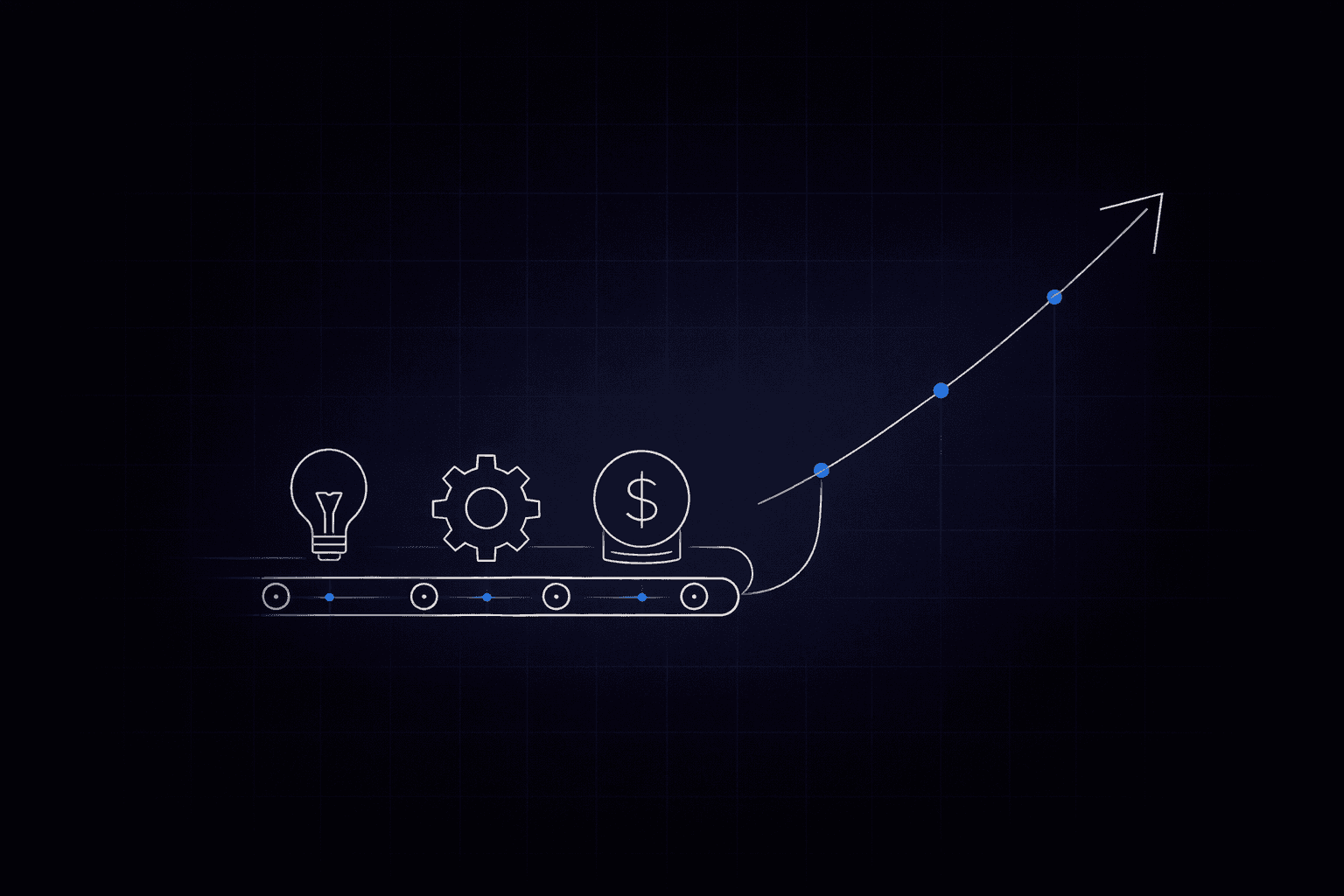
A single purchase order passes through SAP, Salesforce, and three spreadsheets before it reaches an approver. An IT service ticket bounces between teams for days. A procurement analyst spends half the week comparing invoices, purchase orders, and receipts line by line.
Every enterprise operations team has some version of these slow, manual handoffs. Workflow automation is built to solve them, but the gap between teams that automate well and teams that stall usually comes down to two things: which process they pick first, and whether their tooling can govern the full workflow rather than individual steps alone.
The starting point for getting both right is understanding what workflow automation actually does and how it works at an architectural level.
What Workflow Automation Is
Workflow automation is software that executes, routes, and manages process steps without manual intervention. Every automated workflow uses triggers and logic, plus integrations that connect the systems involved. A submitted form or a data change in SAP can trigger the process; a scheduled event can do the same. The workflow then applies approval and exception rules, including escalation when needed, while integrations connect ERP and CRM systems with IT service management and data warehouses.
In a manual procurement request, someone emails the request to their manager. The manager forwards it to procurement. Procurement checks a spreadsheet for budget, logs in to SAP for vendor data, and then emails finance for approval. Each hand-off adds delay, introduces error risk, and leaves no audit trail.
In an automated version, the request triggers a workflow that checks the budget in real time, routes to the correct approver based on amount and category, pulls vendor data from the system of record, and logs every step. What took days may compress to hours or even minutes. What required multiple people touching the same data can now often run with far less manual handling.
How workflows are architected, and how much complexity they can absorb, varies significantly.
The Three Tiers of Enterprise Workflow Automation
Workflow automation architectures vary. The differences between the three architectural tiers shape what you can automate, how reliably it runs, and whether it scales.
Rule-Based Automation
Rule-based automation, built on IF/THEN logic, is the most common form of enterprise automation.
If the purchase order exceeds $10,000, route to senior approval. If the ticket is a password reset, assign it to Tier 1. Every decision is predictable and auditable.
That predictability makes rule-based automation a strong fit for high-compliance processes, including payroll, regulatory reporting, and system-to-system data sync.
But rule-based automation breaks down when inputs are unstructured, including emails with ambiguous requests and PDFs in non-standard formats. Natural language that doesn't fit a decision tree creates the same problem.
AI-Augmented Workflows
Rules still govern the overall process, but AI agents handle specific steps that require language understanding or interpretation. A procurement workflow might use rules to route purchase orders but call an AI agent to classify an ambiguous vendor invoice, extract line items from a non-standard PDF, or flag a contract clause for legal review.
A practical test for deciding between rules and AI is whether the step requires reasoning or follows the same logic every time. Rules handle steps that follow the same logic every time, usually at a lower cost. Where a step requires interpretation, an AI agent may add value. Processes that combine rules, AI agents, and human judgment across multiple hand-offs require coordination across the full workflow. Augmenting individual steps alone cannot provide that coordination.
Orchestrated Workflows
A deterministic engine coordinates humans, business rules, and AI agents as equals in the same process, each assigned to the steps they are best suited for. The orchestration layer governs hand-offs, decision thresholds, audit trails, and escalations across all humans, rules engines, and AI agents alike. Decision thresholds are the scores or cut-offs that determine when the workflow proceeds automatically and when it pauses for human review.
In practice, a single workflow can route a purchase order through compliance checks (rules), classify an ambiguous invoice (AI agent), and escalate a flagged discrepancy for review (human), all within one governed process. Each participant handles the steps it's best suited for, and the orchestration layer maintains full context and audit trail across every hand-off.
Orchestrated workflows are gaining traction. Up to 40% of enterprise applications will be integrated with task-specific AI agents by the end of 2026, according to Gartner, up from less than 5% in 2025, a trend that supports growing interest in orchestration as the default architecture.
Workflows and Automation: How They Work Together
The terms workflow and automation are often used interchangeably, but they describe different layers of the same system. Understanding the distinction helps enterprise teams make architectural decisions.
A workflow is the defined sequence of steps, decisions, actors, and hand-offs that a process follows from trigger to completion. It answers: who does what, in what order, under what conditions? A well-designed workflow can exist on paper before a single line of code is written.
Automation is the technology layer that executes the workflow without manual intervention. It routes data, calls APIs, invokes AI agents, and enforces rules in real time. Automation turns a documented process into a running system.
Poor workflow design causes many enterprise automation problems. Teams that deploy automation onto a poorly defined workflow accelerate the flaws. Teams that design the workflow carefully, mapping every branch, exception, and escalation path, find that automation rollout is direct.
Designing Workflows Before Automating Them
Document the current process before automation begins. Identify the decision points that follow consistent logic, then separate those from steps that require judgment or human review. This structured process design supports faster deployment.
A practical design sequence for enterprise teams:
- Map the current process end to end, including the informal steps that exist outside official documentation.
- Identify decision points and classify each one: does it follow consistent logic (rule-based), require interpretation (AI-suitable), or need human judgment (human-in-the-loop)?
- Define triggers and exit conditions for every branch, including exceptions and escalation paths.
- Specify integration points and the systems involved at each step: ERP, CRM, ITSM, document management, and data platforms.
- Automate the process, starting with the highest-confidence branches and layering in AI handling for edge cases once the core workflow is stable.
This sequence prevents teams from using automation logic to compensate for an under-designed process. The workflow design phase determines whether automation delivers its expected ROI.
Where Workflows and Automation Diverge From Point Tools
Point tools automate a single task such as document extraction, email routing, or form submission. Their scope covers individual steps, while the hand-offs between those steps remain outside their governance.
Enterprise workflows and automation require both layers: the logic that governs the full process and the technology that executes each step. Lightweight, consumer-grade automation tools handle simple, single-system tasks well, but enterprise workflows require auditability, role-based access controls, data residency requirements, and support for multi-participant complexity. Integration-first platforms extend further by connecting more systems, but still center on moving data between endpoints rather than governing the process itself.
Enterprise systems must make the workflow itself the first-class object. Decisions, hand-offs, decision thresholds, and audit trails are all governed at the workflow level instead of being assembled from individually automated steps.
Why Enterprises Invest in Workflow Automation
Teams usually fund workflow automation when they can tie it to clear operational outcomes. The most common drivers are greater accuracy, faster cycle times, more consistent execution, and the ability to handle higher volume without adding headcount.
Speed and Cost
Manual cycles that take days can be compressed with automation. In invoice processing, automated workflows can reduce cycle times from weeks to days and lower per-invoice handling costs. For organizations processing thousands of invoices per month, a single automated workflow can cut per-invoice cost across the entire monthly volume.
Consistency and Auditability
Every execution follows the same path and produces a complete log. Manual accounts-payable (AP) processes carry higher error rates than automated ones, including mis-keyed amounts, duplicate payments, and missed approvals. For regulated industries, the audit trail alone can justify the investment because the system logs every decision, routing step, and approval with full traceability.
Handling Volume Without Proportional Headcount
Automated workflows handle 10,000 requests with the same consistency as 100. Automating across many processes can create greater operational efficiency than automation deployed in isolated pockets. Teams should measure ROI from the first year of deployment onward.
High-Value Enterprise Use Cases
Some workflow categories create value faster than others. The strongest early candidates usually combine high volume, repeatable logic, and visible operational pain.
IT Service Management (ITSM)
ITSM encompasses workflows such as service requests and incident management. Access provisioning is another common workflow. IT incident automation can deliver ROI through labor cost reduction, faster mean time to resolution (MTTR), and preventive intelligence.
Access provisioning, the process by which orchestration agents validate approvals against policy and route requests without manual intervention, can reduce turnaround from days to hours.
ITSM is often a useful starting point because incident volume is high, patterns are repeatable, and results are visible to both operations and finance leadership. Visible operational gains can build support for the next workflow.
Procurement
AP automation often has a clear business case because the work is repetitive, rules-heavy, and high volume. Three-way match automation (the process of validating quantities, prices, receipts, and PO references across the invoice, PO, and receipt) can improve match rates and reduce manual effort.
Supplier onboarding workflows can be automated at a meaningful scale. Removing manual document collection, approval routing, and system entry across procurement, finance, and compliance can reduce timelines from weeks to days.
Finance and HR
Beyond AP, finance workflows like journal expense tagging and travel & expense (T&E) audits follow predictable logic that automation handles well.
Employee onboarding automation triggers role-based tasks like account creation and training assignments. It can also initiate equipment provisioning. Onboarding automations can reduce ramp time by handling these tasks automatically rather than relying on manual coordination across departments.
How to Choose Which Processes to Automate First
Picking the right first process shapes whether an automation program builds momentum or stalls. Four filters help identify high-ROI candidates.
- High frequency: Processes that repeat many times daily or weekly (invoice routing, ticket classification, access request approvals) deliver measurable throughput gains immediately.
- Rules-heavy: Steps that follow consistent decision logic are the cheapest and fastest to automate. If a human makes the same decision the same way every time, that step should be a rule.
- Multi-system: Processes where humans act primarily as data transfer agents between SAP, Salesforce, ServiceNow, and spreadsheets. These are where automation removes the most manual overhead.
- High error or service-level agreement (SLA) risk: Processes where mistakes create downstream costs like duplicate payments, compliance violations, and SLA breaches. Automation here compounds benefits by reducing errors and increasing throughput at the same time.
Start with the process that scores highest across all four filters and deploy it in full. Once you've demonstrated ROI, expand.
The Land-and-Expand Pattern
A common path is to start with supplier onboarding or invoice capture, generate visible savings, and build internal advocates. That early success can fund the next phase without requiring a new budget case.
A single workflow domain, such as PO compliance (checking that purchase orders meet required policies, approvals, and documentation rules), can absorb significant manual effort every month. Automating it frees budget and headcount for the next deployment.
The selected system must run the process reliably.
What to Look for in a Workflow Automation System
Determine whether the software offers a unified orchestration or control layer for end-to-end coordination across people, systems, and automation, or relies on multiple integrated tools to assemble that capability.
Six criteria matter most:
- A native workflow engine: orchestration should be the software's core capability.
- Multi-participant support: a single workflow should route through a rules engine, hand off to an AI agent, and require human approval, all with complete context and an audit trail.
- No-code builder for business teams: if your team needs a developer to modify an approval threshold or add a routing rule, you create a bottleneck that slows ROI.
- Data stays in your environment: for regulated industries, data residency is a disqualifying criterion before functional evaluation begins.
- Full auditability and human-in-the-loop controls: configurable decision thresholds, approval chains with complete traceability, and role-based access control (RBAC) per workflow.
- Time-to-value in weeks: long setup periods delay proof of value and weaken internal momentum.
Any system that falls short on orchestration, auditability, or data residency creates friction that compounds with every new workflow you add.
Enterprise Workflow Management: Governing a Growing Automation Portfolio
A first workflow requires implementation; governing dozens of workflows across business units, systems, and AI agents requires ongoing enterprise workflow management. Each requires different capabilities from the same platform.
Enterprise workflow management encompasses the ongoing oversight, visibility, and control of automated processes after they go live. It includes monitoring workflow health, managing exceptions, updating logic as business rules change, enforcing access controls, and maintaining complete audit trails across every execution.
What Enterprise Workflow Management Requires
An enterprise workflow management system requires four governance layers beyond the scope of typical point tools and lightweight automation tools:
- Process visibility across the full portfolio. Operations leaders need a single view of which workflows are running, where exceptions are queuing, and which processes are approaching SLA thresholds. Without centralized visibility, teams manage by exception rather than by design. They respond to failures instead of anticipating them.
- Version control and change governance. Business rules change. A routing threshold that was $10,000 last quarter may need updating. An AI model used for document classification may be replaced. An enterprise workflow management system must support controlled updates to live workflows without interrupting in-flight executions, and it must log every change with the actor and timestamp.
- RBAC at the workflow level. Different teams own different workflows. Modification rights for an ITSM routing rule should remain with IT, while procurement approval thresholds should remain hidden from HR. Granular RBAC at the workflow and step level is a governance requirement.
- Exception management and escalation. Even well-designed workflows encounter exceptions such as missing data and failed integrations. Ambiguous inputs that fall outside defined decision thresholds also require exception handling. An enterprise workflow management system routes exceptions to the right human with the right context, tracks resolution time, and feeds exception patterns back into workflow improvement cycles.
Workflow Tools vs. Enterprise Workflow Management Systems
Most workflow tools handle the build-and-deploy phase well. The failure point shows up at scale. When an organization is running 50 automated workflows across procurement, finance, HR, and IT, the management overhead becomes the constraint. Teams without a proper enterprise workflow management system end up maintaining a patchwork of individual automations that are difficult to audit, slow to update, and opaque to leadership.
The distinguishing features of an enterprise workflow management system are:
- A centralized control plane for monitoring, alerting, and exception routing across all workflows
- Cross-workflow analytics to identify bottlenecks, measure cycle times, and surface improvement opportunities
- Governed AI integration with defined handoff conditions and logged model interactions, so AI-assisted steps remain auditable
- Architecture-enforced data residency. The system architecture itself ensures that data never leaves the enterprise environment
This last point is particularly important for regulated industries. A workflow management system that replicates or warehouses process data in a vendor environment creates compliance exposure that governance policies cannot fully mitigate. The architecture must enforce residency natively.
Scaling Workflow Management Without Adding Complexity
Early enterprise automation deployments are often managed informally. Individual process owners maintain their workflows, the team that built the automation handles exceptions, and documentation exists in scattered places. This works at a small scale and breaks down quickly as the workflow portfolio grows.
To scale workflow management, establish a workflow registry that documents every active automation, its owner, its trigger conditions, its SLA, and its last review date. Define a standard exception routing protocol so every workflow routes unhandled exceptions to a defined queue with context instead of failing silently or sending unstructured alerts. High-volume workflows also need a scheduled review cadence, typically quarterly, to assess whether the business rules still reflect current policy, whether exception rates are trending in the right direction, and whether the workflow is a candidate for AI augmentation.
These practices are most effective when the underlying platform supports them natively rather than requiring teams to build governance tooling on top of the automation system.
Why Workflow Automation Initiatives Fail
Workflow automation programs usually break down for a few common reasons. The pattern is widespread enough that over 40% of agentic AI projects are forecasted to be canceled by the end of 2027, according to Gartner. While that stat covers agentic AI broadly, the failure patterns it reflects are common in workflow automation too. They cluster around avoidable mistakes.
Automating a Broken Process
Automation accelerates what's there, including the flawed parts. If your three-way match process fails often due to missing PO data, automating it produces the same failures faster. Many initial RPA implementations struggle to deliver expected value because the underlying processes were poorly defined, inconsistent, or dependent on undocumented workarounds. Map the process, remove obvious waste, define triggers and logic branches, then automate. Automation amplifies whatever process design you feed it.
Starting Too Broad
Enterprise-wide automation programs create complexity that can outstrip organizational change capacity and IT integration bandwidth. Programs stall, stakeholders lose confidence, and the budget gets redirected. For many enterprise teams, the fastest route to production is a bounded starting point: one process, fully deployed, with demonstrated ROI before expanding.
Building on the Wrong Layer
Deploying AI agents without a deterministic orchestration layer introduces probabilistic variability into processes that require predictable outcomes. Agents can drift over time. In multi-step AI workflows, errors compound across stages. Without a deterministic engine as the backbone, teams may need to rework process logic as models or providers change.
Getting Started with Workflow Automation
Successful workflow automation programs begin with one high-value process, deploy it fully, and use the results to fund the next one. Choosing the right system matters as much as choosing the right process: can it govern a complete process across rules, AI agents, and human judgment, or does it only execute individual steps?
Elementum’s Workflow Engine is built for that approach. It treats humans, business rules, and AI agents as equals in every process, and the no-code builder lets business teams own their automations without filing IT tickets. Our Single Front Door routes incoming requests, regardless of channel or format, into the right workflow automatically. This removes the manual triage step that slows most enterprise processes before automation even begins.
We never train on, replicate, or warehouse your data. Zero Token Burn ensures AI usage in your workflows doesn't consume model tokens unnecessarily, which keeps inference costs predictable as workflow volume grows. You can change underlying AI components without rebuilding process logic, since your workflows aren't coupled to a single model provider. CloudLinks connect to data platforms such as Snowflake and Databricks, and APIs integrate with operational systems such as SAP and Salesforce.
Many of our customers start with one workflow, prove the savings, and expand into adjacent processes.
Among orchestration platforms in this category, we have the production track record for replacing legacy SaaS at enterprise scale, with named customers including Sanofi, Snowflake, Under Armour, and Elevance Health. Most enterprise teams reach their first application in production in approximately 90 days, which lets the first workflow deliver results within a single budget cycle.
Contact us to map workflow orchestration into your architecture and the rest of your AI roadmap.
FAQs About Workflow Automation
These are the questions IT and operations leaders most often raise when evaluating workflow automation for the first time.
What's the difference between RPA and workflow automation?
RPA automates individual tasks by mimicking user interactions at the UI level, such as clicking buttons and copying fields between screens. Workflow automation orchestrates entire processes across multiple systems, actors, and decision points. RPA fills gaps where systems lack APIs; workflow automation coordinates the end-to-end process in which RPA bots, rules, AI agents, and humans all participate.
Can workflow automation work with your existing systems (SAP, Salesforce, Oracle)?
Yes. The right system connects to your existing systems through native integrations and APIs. That means no data migration, no rip-and-replace projects, and no disruption to the systems your teams already depend on.
How do you prevent workflow automation from failing as the portfolio grows?
Start with one bounded process. Standardize the process before automating it, because automation accelerates what's there, including broken steps. Choose a system with a deterministic orchestration layer instead of relying on AI agents alone. Agents can drift over time, and without governed hand-offs and audit trails, that drift compounds across every workflow step.
What is an enterprise workflow management system?
An enterprise workflow management system is a platform that governs the full lifecycle of automated processes across an organization. Its scope includes deployment, ongoing monitoring, exception routing, access control, change management, and audit trail maintenance across every active workflow. It differs from a workflow tool or point automation system because the management and governance layer is built into the platform. For regulated industries, a qualifying system must also enforce data residency at the architecture level rather than through policy controls alone.
What's the difference between workflows and automation?
A workflow is the defined sequence of steps, decision points, actors, and hand-offs that a process follows. Automation is the technology layer that executes those steps without manual intervention. Effective enterprise automation requires both: a well-designed workflow that maps the full process and a platform that can execute it reliably across rules, AI agents, and human approvals. Deploying automation onto a poorly designed workflow accelerates its flaws rather than removing them.
Keep Reading
AI Agent vs AI Workflow: Orchestration vs Automation
How To Set Up an AI-Powered IT Service Desk Workflow
How to Automate Procurement Workflows with AI Agents and Business Rules
9 Best Workflow Orchestration Tools in 2026
Actualizing the ROI of the Cloud with Intelligent Workflows
Replacing Legacy CRM Workflows: An AI Orchestration Approach for Enterprise Sales Operations