
9 IT Process Automation Tools: Top Platforms for Automating IT Workflows
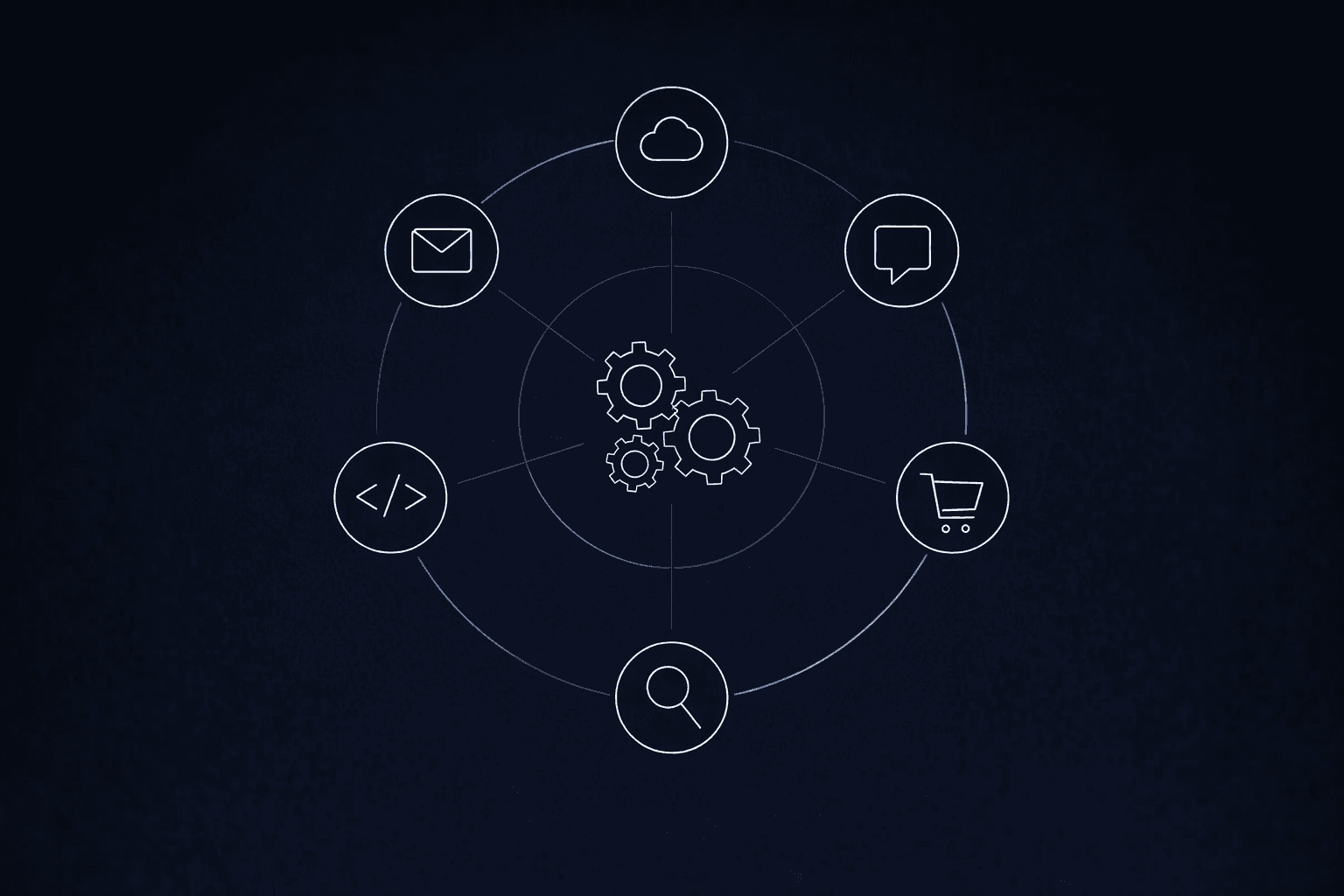
A single IT service ticket passes through three systems, two teams, and an email chain before anyone touches the actual issue. A purchase order bounces between SAP, Salesforce, and a shared spreadsheet before reaching an approver. That is the daily reality for enterprise IT organizations managing complex technology estates across dozens of interconnected platforms.
The low-code and digital process automation market reached $13.2 billion by the end of 2023 and is projected to reach $50 billion by 2028.
The platforms competing in that market take very different architectural approaches to governance, AI integration, and the coordination required for enterprise-scale workflows.
What to Look for in an IT Process Automation Tool
Two criteria separate enterprise-grade IT process automation from departmental task automation.
- Deterministic reliability vs. probabilistic flexibility: Some workflow steps, such as routing approvals, enforcing compliance checks, and triggering escalations, must produce the same result every time. Others benefit from AI reasoning. The platform you choose should let you assign the right approach to each step rather than forcing everything through a single execution model.
- Governance at the architecture level: Over 40% of agentic AI projects will be canceled by the end of 2027, largely because organizations pursued AI without embedding governance from the start. A platform that bolts governance on after deployment creates the same sprawl problem it is supposed to solve.
9 IT Process Automation Tools for Enterprise Workflows
These nine platforms take different approaches to IT process automation. Governance architecture, AI integration model, pricing structure, and deployment complexity vary significantly across them.
1. Elementum
Elementum is an AI workflow orchestration platform built around the three-actor model: humans, deterministic business rules, and AI agents operating as equal participants in every workflow. Enterprise customers include Sanofi, Snowflake, and Under Armor. The platform handles complex, cross-functional workflows spanning procurement, IT service management (ITSM), and finance operations.
Key Features
- Open Orchestration provides zero vendor lock-in with pre-integrations across OpenAI, Gemini, Anthropic, Amazon Bedrock, and Snowflake Cortex; different models can be assigned to different steps and swapped without rebuilding logic
- The three-actor model blends AI agents, deterministic business rules, and human decisions within a single workflow, with configurable confidence thresholds governing when autonomous execution hands off to human review
- Patented Zero Persistence architecture queries data in real time via CloudLinks across Snowflake, BigQuery, Databricks, and 200-plus data sources; no customer data is replicated, stored, or warehoused
Pros
- Model-agnostic design lets teams swap large language models (LLMs) without rebuilding workflows
- Zero Persistence keeps all data gravity with the enterprise, with controls aligned to SOC 2 Type II, GDPR, and HIPAA requirements
- Production deployment in 30 to 60 days with a structured rollout schedule
- Right-sizing AI spend step by step reduces cost at enterprise volume
Cons
- Designed for enterprise-scale deployments; organizations with simpler or smaller automation needs may find the platform broader than required
- No native desktop RPA capability; workflows requiring screen-level automation of legacy desktop applications need a separate tool
- No public app marketplace or connector library; integration discovery requires direct engagement rather than self-serve browsing
Pricing
Custom pricing based on organizational scope and deployment requirements. Contact us for a tailored quote.
Who Is Elementum Best For?
Enterprise IT leaders managing multi-system workflows who need AI governance built into the architecture rather than bolted on after deployment. Particularly strong for organizations running ITSM, procurement, or cross-functional workflows across SAP, Salesforce, and Oracle, especially those needing to prove ROI in a single budget cycle.
2. ServiceNow
ServiceNow is an enterprise ITSM platform with incident, problem, and change management capabilities and AI delivered through Now Assist. The March 2026 AI Gateway release added centralized Model Context Protocol (MCP) Server Governance, automated personally identifiable information (PII) protection, and enforced approvals in AI Agent Studio.
Key Features
- Now Assist delivers generative AI (GenAI)-powered case summarization, text-to-code, and cross-workflow AI
- AI Gateway centralizes MCP Server Governance with automated PII protection and enforced approvals
- ServiceNow is extending Now Assist toward L1 Service Desk automation, with human oversight retained for complex and high-stakes escalations
Pros
- Centralizes fragmented IT tools into a unified ITSM platform
- Integrated incident, problem, and change management with cloud-based scalability
- Broad enterprise deployment history with established implementation patterns
Cons
- Now Assist ties AI capabilities to ServiceNow's model choices and release cadence, limiting flexibility as the broader AI landscape evolves
- Steep learning curve is a top-three concern across enterprise peer reviews
- Now Assist requires additional Pro Plus or Enterprise Plus add-on purchases, layering cost onto existing licensing
Pricing
Custom quotes required across ITSM Standard, Pro, and Enterprise tiers. Pro Plus and Enterprise Plus add-ons for Now Assist generative AI require a separate purchase. Free demos and trial access are available.
Who Is ServiceNow Best For?
Large enterprise organizations with established ITSM practices and dedicated platform teams who can manage the learning curve and licensing complexity. If your workflows extend beyond IT into procurement or cross-functional processes, evaluate whether the AI add-on structure meets your requirements.
3. Pega Platform
Pega takes a case-centric approach to enterprise process automation, combining business process management (BPM), case management, decisioning, AI, and robotic process automation (RPA) in its Infinity '25 platform.
Key Features
- Pega Blueprint converts goals and documentation into agent-driven workflows using GenAI
- Predictable AI emphasizes consistent, auditable execution through workflow design
- Agentic Process Fabric orchestrates AI agents and systems through a unified control interface
- EU Sovereign Cloud launched with underlying AWS European Sovereign Cloud infrastructure in January 2026
Pros
- Unified platform combining BPM, case management, decisioning, AI, and RPA
- Strong simulation capabilities and dynamic case management
- Integration with other platforms is consistently cited as an implementation strength across enterprise deployments
Cons
- Agent capabilities are layered onto a case management architecture built decades before modern agentic AI, which can constrain how agents interact with the workflow engine
- Implementations can involve long deployment cycles and high costs
- Reporting is more complex compared to several alternatives in this evaluation
Pricing
Limited public pricing is available on third-party marketplaces and review sites; most enterprise deals rely on custom quotes. Consistently described as an enterprise-tier investment.
Who Is Pega Best For?
Regulated enterprise organizations with complex, long-running case management needs: financial services, healthcare, insurance. Expect significant implementation investment.
4. Appian
Appian combines low-code development, workflow orchestration, RPA, AI agents, and a data fabric in a unified environment.
Key Features
- Private AI architecture uses Amazon Bedrock with Anthropic's Claude, with stateless AI models that do not retain data after processing
- Agent Studio builds AI agents within enterprise processes
- Composer generates requirements and screens from natural-language inputs
- Process HQ provides process mining with AI-driven recommendations
Pros
- Rapid application development, converting complex processes into working applications
- New features are released quarterly with backward compatibility; accessible learning curve
- FedRAMP compliant alongside SOC 1/2/3 and HIPAA
Cons
- Private AI architecture routes AI processing through Anthropic's Claude via Amazon Bedrock with no support for swapping LLM providers, creating model lock-in as the AI landscape evolves
- Advanced AI capabilities gated to Advanced and Premium tiers only, locking differentiating features behind higher-cost editions
- High licensing costs are a recurring concern across aggregated enterprise reviews
Pricing
Three tiers (Standard, Advanced, Premium) with pricing available by quote rather than publicly listed fixed rates. No public dollar amounts. A free Community Edition is available.
Who Is Appian Best For?
Organizations that need a mature low-code platform with integrated process mining and AI agents, particularly in regulated industries requiring FedRAMP compliance. Evaluate tier gating carefully: differentiating AI capabilities are locked behind Advanced and Premium editions.
5. Microsoft Power Automate
Microsoft Power Automate is a low-code automation platform spanning cloud flows, RPA (desktop flows), and process mining. Its value proposition is deep integration with Microsoft 365 and Azure.
Key Features
- Cloud flows provide low-code automation with a large library of connectors
- Desktop flows deliver RPA for Windows applications
- Wave 2 (October 2025 to March 2026) introduced AI-first dynamic automations with built-in AI and enterprise-ready observability via Automation Center with ROI analytics
Pros
- Ease of use is the most consistently cited strength across enterprise peer reviews
- Deep Microsoft 365 integration reduces connector setup for organizations already on that stack
- Low entry cost for organizations already on Microsoft 365 licenses
Cons
- 30-day maximum flow persistence is an architectural constraint for long-running workflows, documented in Microsoft's official limits
- Complex integration scenarios outside the Microsoft ecosystem hit platform limits
- Agent stack rebranding instability created procurement confusion among enterprise buyers
Pricing
- Copilot Studio: $200/month for 25,000 credits
- M365 licenses include limited access with standard connectors
- Premium connectors, RPA, and AI Builder require additional licensing
Who Is Power Automate Best For?
Microsoft-centric organizations are automating workflows within the M365 product family. The platform reaches its limits with complex cross-system workflows or long-running processes that extend beyond Microsoft's product family.
6. Salesforce Flow and Agentforce
Salesforce offers IT process automation through Flow Builder and Agentforce for AI agent deployment across CRM, ITSM, and cross-functional workflows.
Key Features
- Flow Orchestration unifies processes involving humans, agents, and systems with fault tolerance via Fault Paths
- AI-driven decision elements route flows based on natural language inputs
- Agentforce uses a Flex Credits consumption model at $0.10 per action
- Cross-system automation launched in Spring '25 with 40-plus connectors as a paid add-on
Pros
- Workflow automation earns strong marks for dashboards and real-time metrics
- Multi-step orchestration with pause, wait, and fault recovery paths
- Native CRM data access means agents operate within existing Salesforce records without separate integration builds
Cons
- Agent logic is probabilistic by default; Flow has no native deterministic execution layer to enforce consistent outcomes on steps requiring fixed business rules
- Cross-system automation is a paid add-on; on-premises integration requires MuleSoft licensing, adding architectural dependency and cost
- Salesforce implemented an average 6% list price increase for Enterprise and Unlimited Editions effective August 1, 2025, alongside updated AI offerings that replace existing Einstein add-ons
Pricing
- Platform Starter: $25/user/month
- Platform Plus: $100/user/month
- Agentforce Flex Credits: $0.10 per action
- Cross-system connectors and Einstein are additional costs
Who Is Salesforce Best For?
Organizations heavily invested in Salesforce are extending CRM workflows into ITSM. If your IT workflows extend beyond Salesforce's data model, add-on costs for connectors, MuleSoft, and Einstein accumulate quickly.
7. UiPath
UiPath is an automation platform that has expanded beyond RPA to include agentic automation, combining robots, AI agents, and process discovery in a single platform.
Key Features
- UiPath Maestro orchestrates AI agents, robots, and humans in dynamic workflows
- Agent Builder supports low-code and pro-code agentic automation
- Healing Agent suggests fixes for broken automations at runtime
- Process and task mining identify automation opportunities; ScreenPlay (Enterprise tier) builds automations from natural language
Pros
- Intuitive, low-code interface makes complex automation accessible
- The deepest process discovery suite in this evaluation
- Strong third-party integrations across enterprise systems
Cons
- Workflow orchestration extends from an RPA-first architecture, adding complexity for organizations that need process-level orchestration beyond bot-driven automation
- Frequent version updates create an operational burden for platform teams
- Critical features, including Healing Agent and bring your own model (BYOM), are available only in Enterprise and Advanced tiers
Pricing
- Basic tier: starts at $25/month (Europe only)
- Standard and Enterprise tiers: contact sales for pricing
Who Is UiPath Best For?
Organizations with existing RPA investments that are evolving toward orchestrated agentic automation. UiPath's process discovery and mining capabilities are the strongest in this evaluation. If you are starting from scratch with no RPA footprint, evaluate whether the RPA-rooted architecture adds unnecessary complexity.
8. Workato
Workato is an Integration Platform as a Service (iPaaS) that combines enterprise integration, workflow automation and agentic orchestration through Workato ONE, offering 1,200-plus native integrations.
Key Features
- Workato Orchestrate delivers multi-step, multi-actor business process orchestration with human-in-the-loop controls
- Genies provide agentic orchestration: AI agents that retrieve data and trigger actions across connected applications
- AgentAuth framework governs agentic AI security
- Native B2B/electronic data interchange (EDI) integration and MCP compatibility extend the platform beyond pure workflow tooling
Pros
- Ease of use ranks consistently high across enterprise peer reviews, with strong overall satisfaction ratings
- Documented enterprise deployments show meaningful reductions in manual processing hours at scale
- Broad native integration library reduces custom connector development for most enterprise system combinations
Cons
- Built as an integration platform first, process governance and deterministic execution controls were added later, which can create friction in complex multi-step workflows
- Pricing opacity: custom quotes only, with no published list prices
- Integration maintenance burden at scale falls on the enterprise
Pricing
No published list prices. Four editions (Standard, Business, Enterprise, and Workato ONE) use a platform-edition fee plus a usage fee that scales based on volume.
Who Is Workato Best For?
Organizations that need a strong integration-first automation strategy with cross-system orchestration. If your primary need is deep process orchestration with deterministic governance, evaluate whether Workato ONE's agentic capabilities meet your requirements.
9. Automation Anywhere
Automation Anywhere is an RPA and intelligent automation platform with an active pivot toward AI-first agentic automation, targeting enterprise customers extending existing bot-based automation into AI-augmented workflows.
Key Features
- Core platform combines bot-based RPA with AI-augmented capabilities for enterprise process automation
- Workflow orchestration across enterprise systems added as part of the pivot toward AI-first Agentic Process Automation (APA)
- Document automation, process discovery, and cloud-native architecture support the transition from task-level bots to cross-system workflow coordination
Pros
- Established RPA vendor with broad enterprise adoption and a mature bot ecosystem for task-level automation
- Active investment in AI-first agentic automation extends the value of existing bot deployments
- Document automation and process discovery are built into the core platform, reducing the need for separate discovery tooling
Cons
- The platform's orchestration capabilities are built on top of an RPA-first execution engine; organizations requiring deterministic process governance across multi-system workflows may find the architecture adds friction
- Enterprise pricing requires direct vendor engagement with no public transparency
- Rapid product evolution means current capabilities may differ from recent marketing; hands-on evaluation is recommended before committing
Pricing
Pricing requires direct engagement with the vendor, with custom quotes based on the deployment scope.
Who Is Automation Anywhere Best For?
Organizations with existing RPA programs that want a competitive alternative to UiPath in the RPA-to-agentic transition.
Choose the Right IT Process Automation Tools for Your Enterprise
Deterministic rules, human judgment, and AI reasoning each have a role. The platform that assigns the right actor to each step scales without governance failures or cost spirals.
Most CIOs now face direct pressure to prove the value of AI within the current budget cycle. AI is spreading across organizations faster than governance can keep up, and the gap between adoption and oversight widens at every handoff between systems. For organizations running cross-functional workflows across SAP, Salesforce, and Oracle, that gap is exactly where the three-actor model delivers its strongest differentiation.
Elementum's Open Orchestration architecture addresses this challenge: production workflows in 30 to 60 days, with Zero Persistence keeping your data where it belongs.
Orchestrated Intelligence right-sizes cost at every step. Our internal analysis shows orchestrated workflows can cost significantly less than agent-only approaches at enterprise volume. Documented customer outcomes include $18M in license spend reduction for a global pharma organization, $5M in provider onboarding savings for a health insurance enterprise, and $1.5M in IT support cost reduction for a US sports apparel company.
The question facing enterprise IT leaders is whether to let agentic AI operate without governance or to embed agents in deterministic workflows where every outcome is auditable. Contact us to see how Elementum maps to your specific IT workflows.
FAQs About IT Process Automation Tools
What's the Difference Between IT Process Automation and RPA?
RPA automates repetitive tasks: clicking through screens, copying data between fields. IT process automation orchestrates end-to-end workflows spanning multiple systems, teams, and decision points. An RPA bot might extract data from an invoice; an IT process automation platform orchestrates the full procure-to-pay workflow, with governance and audit trails at every step.
How Do AI Agents Fit Into IT Process Automation?
AI agents add reasoning to workflow steps that need it: reading unstructured documents, classifying tickets, or summarizing case history. The risk arises when agents handle steps that require deterministic consistency, such as approving payments or enforcing compliance thresholds. The enterprise-grade approach assigns AI agents to steps where reasoning adds genuine value and uses deterministic rules for everything else.
What Governance Controls Should an IT Process Automation Platform Include?
At minimum: full audit trails on every automated action, configurable human-in-the-loop checkpoints, role-based access controls on AI outputs, and prompt injection guardrails. OWASP guidance for agentic and LLM-based applications, as well as NIST Interagency Report 8596, both address these risks. Any platform you evaluate should meet them architecturally, not through post-deployment policy overlays.
Keep Reading
9 Best AI Orchestration Tools in 2026: Enterprise Evaluation Guide

Top n8n Alternatives for Enterprise Workflows in 2026

Deterministic vs. Probabilistic AI: The Enterprise Guide to Building Workflows That Scale
What Is Agentic AI Orchestration? An Enterprise Guide

AI Guardrails: How to Govern What AI Agents Can Access, Decide, and Do
Beginner's Guide to Agentic Automation: What Is Agentic Automation?