
Replacing Legacy CRM Workflows: An AI Orchestration Approach for Enterprise Sales Operations
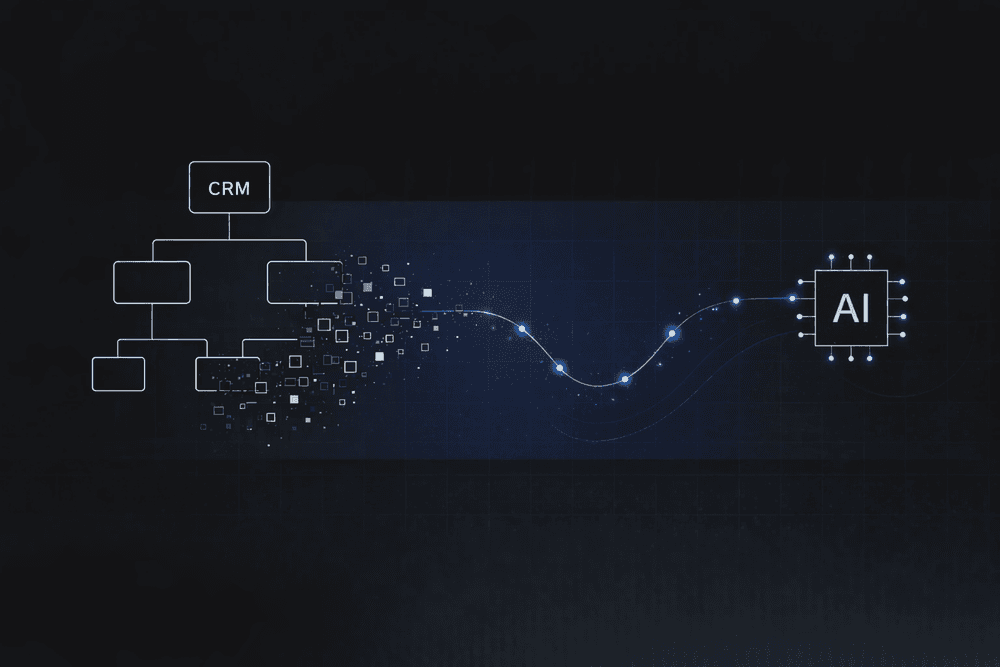
Sales reps spend most of their day on everything except selling. Meetings, manual data entry, quote creation, customer relationship management (CRM) hygiene. Quota attainment keeps slipping, and the reps with the most disconnected tools attain it least often.
If you run sales operations, you already know where the time goes. The CRM workflows you inherited were built for a world where humans ran every step by hand. Adding AI on top speeds up individual tasks while keeping the same manual structure underneath. The workflow itself is where to look first, before deciding what AI should touch and what it shouldn't.
Fix Structural Failures in Legacy CRM Workflows
Legacy CRM workflows have design problems that predate AI. Sales Force Automation (SFA) no longer exists as a standalone technology category; it has spread across so many SKUs that it has drifted from its original role of supporting sellers. The tooling outgrew the people it was built for.
Enterprise CRM teams report both high adoption and low satisfaction. Switching costs keep them locked in even when the system underdelivers.
The systems behind those workflows don't talk to each other. Customer-facing teams can't easily access financial data, and planning runs without a clear view of total cost or headcount. Each disconnected system requires another manual handoff, introducing delays and creating opportunities for data errors.
Avoid the Limits of CRM-Embedded AI Add-Ons
Vendor responses to these structural problems include AI add-ons such as Agentforce and Copilot for Sales. Putting AI into a workflow that's already structurally limited introduces new problems rather than fixing the old ones.
Multi-Step Workflow Reliability Collapses
Leading LLM agents are far more reliable on a CRM task that fits in one exchange than on one that plays out over several turns. On the CRMArena-Pro benchmark, top models scored about 58% in single-turn settings and roughly 35% in multi-turn ones, where the agent has to ask for missing details and hold context across the conversation. The same study found near-zero confidentiality awareness unless the agents were given strong prompts. A deal negotiation or a multi-system approval is exactly that kind of multi-turn, context-heavy work, which keeps these features out of production.
Many CRM customers also lack the data and process maturity to use agentic features at all. The same manual data-entry workflows that create CRM pain make it hard to build the clean data those features need.
Cost Control Doesn't Exist
Agentforce is not built to control cost. Under consumption-based pricing, spend increases with usage, and workflow costs vary with the extent to which the system relies on large language model (LLM) reasoning versus business logic and rules. Under Salesforce's Agentic Enterprise License Agreement, enterprises commit to multi-year terms even as the underlying model costs stay unpredictable. At hundreds of workflows, the bill becomes unpredictable.
Lock-In Operates at Multiple Layers
Traditional SaaS lock-in operated at two layers: the data held inside the vendor's system and the process logic built on the vendor's tooling. AI spreads it across more layers: the models you build on, the data they depend on, the compliance setup around them, and the in-house skills tied to one vendor's tools. Switching costs rise at every layer.
Many agentic AI projects stall or are canceled due to escalating costs, unclear value, and weak risk controls. A sales operations backbone built on a single CRM-born system concentrates all of those risks in one place.
Use AI Workflow Orchestration Beyond CRM Automation
Traditional CRM workflow automation follows explicit rules: if X happens, do Y. That's reliable for structured, repetitive tasks and useless for anything that needs interpretation. An AI agent works the other way: it reads a goal and decides how to reach it. Most enterprise CRM deployments fail to draw the line between deterministic and probabilistic work, treating both as a single rules engine or a single agent layer.
AI workflow orchestration treats both approaches as tools in the same workflow. Each step routes to one of three participant types based on what the step requires:
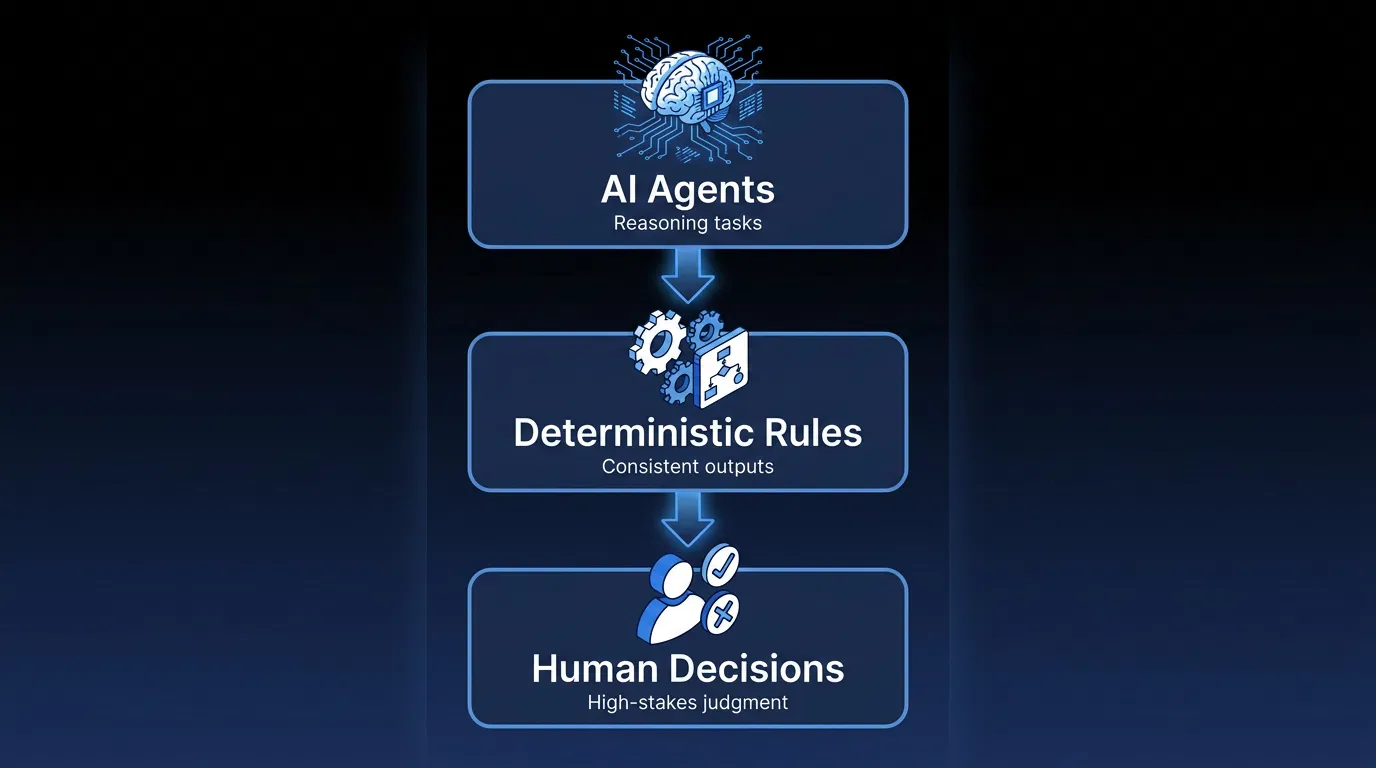
- AI agents: Reasoning-intensive tasks like reading unstructured meeting notes or classifying intent
- Deterministic rules: Business logic that needs consistent outputs, like stage progression criteria or discount approval thresholds
- Human decisions: High-stakes judgment calls like final pricing on strategic deals or exception handling on non-standard contract terms
That puts probabilistic AI reasoning inside deterministic controls, so the parts that must be consistent stay consistent and the parts that benefit from judgment get it. Teams running this hybrid model report shorter cycle times and lower back-office costs.
Map AI Orchestration to Enterprise Sales Operations
Take a sales operations team processing thousands of opportunities a quarter across Salesforce, SAP, and internal planning tools. In a legacy CRM workflow, a deal signal from a customer meeting means a rep logs the opportunity, looks up the account history, sets the stage, assigns the owner, and manually triggers the next step. Each step is a handoff open to delays, inconsistencies, and data-entry errors.
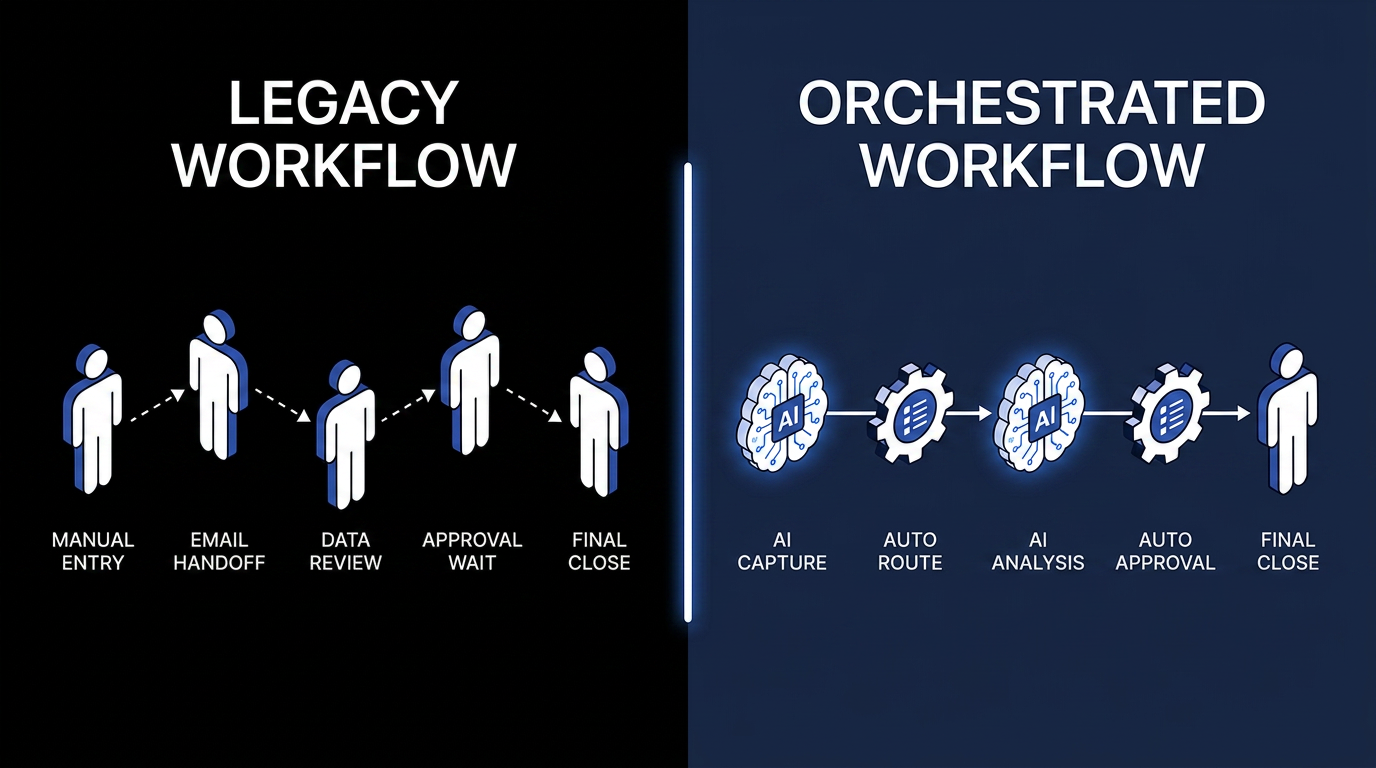
In an orchestrated workflow, those steps are split by what they require. An AI agent captures the deal signal from an email, call transcript, or meeting notes and extracts structured data, including account name, deal size, product interest, and next steps. A deterministic rule then enriches the record with account history from your existing systems. It creates the opportunity with the correct owner, stage, and territory. Human reviewers handle only the exceptions: non-standard deal structures, strategic account overrides.
The same logic applies across sales operations workflows: forecast risk detection, quote and proposal generation, contract routing and approval, pipeline hygiene. In each case, the split between what AI handles and what rules or humans handle determines both reliability and cost.
Systems of record still matter; they're what make transactions reliable and auditable. What changes is their job. Instead of being the place where work happens, they become the place where work is recorded, while orchestration runs the process across them.
Address the Security Requirement for CRM Workflow Automation
CRM-embedded AI introduces a security surface that the embedding vendor both creates and controls. Agentic features in CRM platforms have proven vulnerable to indirect prompt injection, in which external content, rather than a direct request, manipulates the agent into exposing records. AI assistants have also mishandled sensitivity labels and processed confidential material they should have screened. In each case, the company selling the AI is also the one responsible for containing it.
Non-human identities now far outnumber human users in enterprise environments. Each AI agent instance holds API keys, OAuth tokens, or delegated CRM permissions, and existing identity and access management (IAM) frameworks were not built to govern that volume of non-human credentials. As data privacy and sovereignty requirements tighten, enterprise AI is outgrowing the identity and data architecture beneath it.
For any CRM workflow automation system handling pipeline data, customer records, and pricing, where that data is processed and who controls it now sits near the top of any vendor evaluation.
Apply AI Orchestration to CRM Workflow Automation
For sales operations, the decision is where to let AI take the lead and where to maintain deterministic control. More than 80% of companies report no material earnings contribution from generative AI so far, and moving before those sunk costs deepen keeps that choice in your hands rather than your vendor's.
Elementum's Workflow Engine is built for this design. It treats AI agents, deterministic business rules, and human decisions as equals in a single governed process. For sales operations, that means opportunity creation, forecast management, quote generation, and contract routing all run within auditable Flows.
We connect directly to existing data clouds such as Snowflake and Databricks through CloudLinks. We also orchestrate workflows across systems like Salesforce and SAP. Our Zero Persistence architecture means your data is always yours: we never train on, replicate, or warehouse your data.
Our AI agents let you assign different LLM providers to different workflow steps, including OpenAI, Anthropic, Gemini, Amazon Bedrock, and Snowflake Cortex, and swap models as the market evolves. You set the decision thresholds; work that falls below them routes to a human reviewer.
Production deployment typically takes 30 to 60 days. We help build the first app, then your team takes over with the no-code visual builder. No multi-year roadmap before value.
Among orchestration platforms in this category, we have the production track record for replacing legacy SaaS at enterprise scale, with named customers including Sanofi, Snowflake, Under Armour, and Elevance Health. Many of our customers start with one workflow, prove the savings, and expand into adjacent processes.
Contact us to map workflow orchestration into your architecture and the rest of your AI roadmap.
FAQs About CRM Workflow Automation
These are the questions that sales operations and IT leaders most often raise when evaluating CRM workflow automation.
How Should You Compare AI Workflow Orchestration with Salesforce's Built-In Automation?
Compared with the automation built into Salesforce, AI workflow orchestration coordinates work across Salesforce, your enterprise resource planning (ERP) system, data warehouses, and other systems in a single governed process. We route each step to automation or to a human reviewer based on what the work requires across every connected system, not just what one CRM can see.
What Data Quality Baseline Do You Need Before Deploying CRM Workflow Automation?
The data quality baseline depends on the specific workflows you automate and the fields those workflows touch. Because we query data where it already lives, you avoid much of the integration overhead tied to migration or replication. You still need the records those workflows read and write to be reliable.
Will AI CRM Workflow Automation Replace Your Sales Operations Headcount?
AI CRM workflow automation returns time to your team rather than replacing it. Reps and operations staff spend less time on data entry, system navigation, and manual handoffs, so more of their day is devoted to deal strategy, relationships, and the exceptions that require human judgment.
How Can You Avoid Vendor Lock-In When Automating CRM Workflows with AI?
Avoiding vendor lock-in comes down to whether your workflow logic survives changes in components. Our Open Orchestration model is model-agnostic and infrastructure-agnostic, so you can swap AI models, data clouds, or connected systems without rebuilding the workflow.
How Quickly Can You See Results from CRM Workflow Automation?
You can see results within the first deployment cycle. We typically reach production in 30 to 60 days, and early workflows, such as opportunity creation or contract routing, move quickly from evaluation to live use.
Keep Reading
How Does CRM Automation Look in 2026?
What Is Agentic AI Orchestration? An Enterprise Guide

Deterministic vs. Probabilistic AI: The Enterprise Guide to Building Workflows That Scale
AI Guardrails: How to Govern What AI Agents Can Access, Decide, and Do

Human-in-the-Loop Agentic AI: How Enterprise Teams Deploy Agents Without Losing Control
What Is Workflow Automation? A Guide for Enterprise