
7 Best AI Workflow Automation Tools in 2026
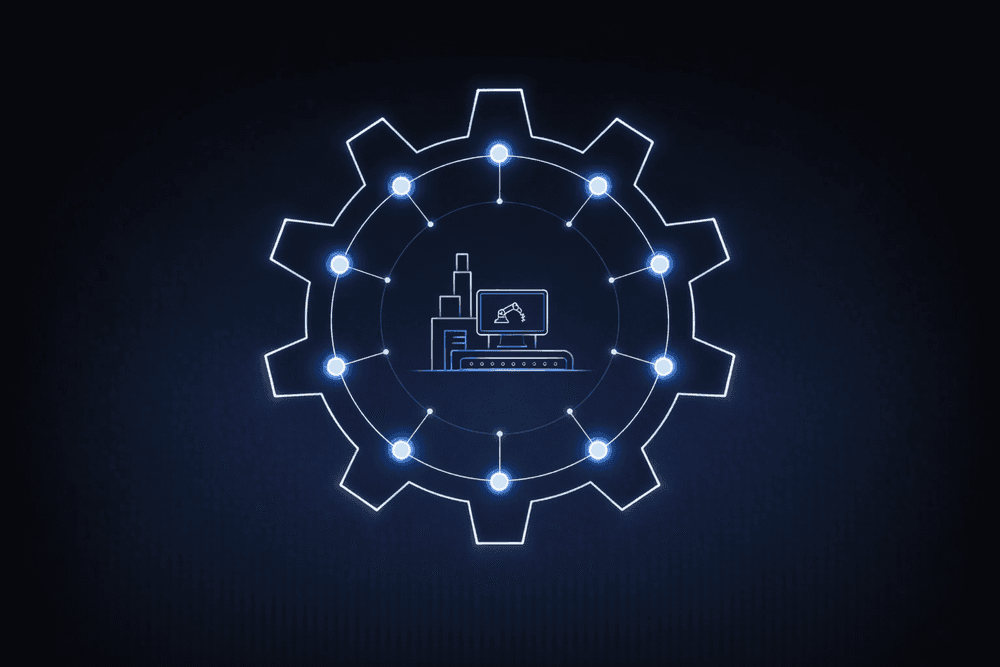
Selecting an AI workflow automation tool is one of the decisions that will shape whether enterprise AI delivers value before mid-2026 budget reviews. Forty percent of agentic AI projects will be canceled by the end of 2027 due to escalating costs, unclear business value, or inadequate risk controls, according to Gartner.
Most cancellations trace back to early architectural choices: where decisions are executed, how governance works, and what integration costs look like once AI moves into production.
This guide covers seven tools across architecture, governance, integration, and cost to help enterprise teams make the right call before that deadline hits.
What to Evaluate Before Comparing Tools
Enterprise AI workflow automation requires orchestrating three participants across existing systems: deterministic rules (business logic that must produce the same result every time, what we call deterministic orchestration), human decisions for high-stakes judgment, and AI agents for reasoning-intensive tasks. The category you choose affects downstream decisions on governance, cost, and flexibility.
ServiceNow, Pega, and Appian layer AI onto existing deterministic workflow engines built before agents existed. Control plane vendors like Microsoft Agent 365 provide visibility into agent deployments and apply governance rules, but don't run the business processes themselves. Open orchestration platforms like Elementum treat agents, rules, and human decisions as equal participants in the same workflow engine, so governance is enforced at execution rather than applied afterward.
A control plane can show you what your agents are doing. A workflow engine with built-in governance controls what they're allowed to do as they do it.
7 Best AI Workflow Automation Tools
Architecture shapes whether AI agents operate inside governed process logic or run as loosely connected services. That difference affects cost, compliance, and production reliability.
1. Elementum
Elementum is a workflow orchestration platform designed to help enterprise teams manage processes that span multiple systems, teams, and decision types. It is built for organizations that need to coordinate automated steps, human input, and AI-driven decisions without moving data into a separate system.
Our Workflow Engine routes each step to the appropriate handler: a deterministic rule, an AI agent, or a human decision, with configurable thresholds controlling when human review is required. Our patented Zero Persistence architecture queries data in real time from systems like Snowflake, Databricks, AWS, and Azure without copying or storing it elsewhere. Customer data remains in existing systems and is never used for training, replication, or storage within the platform.
We integrate with providers including OpenAI, Gemini, Anthropic, Amazon Bedrock, and Snowflake Cortex, enabling teams to assign different models to different workflow steps without rebuilding logic.
Our customers include Sanofi, Elevance Health, and Under Armour. Enterprise teams typically start with one scoped workflow as a de-risked entry point, then expand into adjacent processes over time. For organizations consolidating systems, Elementum can also replace existing workflow, ITSM, CRM, HCM, and procure-to-pay platforms.
Key Features
- No-code workflow builder with drag-and-drop design and native integrations to SAP, Salesforce, Oracle, and 200+ enterprise systems, allowing teams to build and deploy workflows without heavy engineering effort
- Model-flexible orchestration with support for providers including OpenAI, Gemini, Anthropic, and Amazon Bedrock, giving teams the ability to assign different models to different workflow steps
- Zero Persistence data architecture that queries data in real time, where it already lives, without training on, replicating, or storing it elsewhere
- Unified interface for employee requests that routes tasks across IT, HR, finance, and other business functions through a single entry point
Pros
- Keeps data in existing systems without replication or model training
- Flexible across AI models and cloud environments, reducing vendor lock-in
- Production deployment achievable in 30 to 60 days for scoped workflows
Cons
- Initial workflow setup may require internal integration expertise
- No native desktop RPA for legacy UI-based systems
- No public connector marketplace; integrations require direct setup
Pricing
Custom enterprise pricing.
Who Is Elementum Best For?
Enterprise IT leaders who need to orchestrate AI agents within governed, deterministic workflows across multiple existing systems, particularly in ITSM, procurement, HR, and sales operations. Best suited for organizations running modern data infrastructure such as Snowflake, Databricks, BigQuery, or Redshift that want automated business processes without training on, replicating, or warehousing data.
2. ServiceNow
ServiceNow is an IT service management platform used for incident tracking, change management, and employee service requests. It has added AI capabilities through Now Assist and expanded into conversational AI and enterprise search through Moveworks and EmployeeWorks.
Key Features
- Context Engine identifies relevant assets, approval chains, and decision history to ground AI outputs in live enterprise context at the time of each action
- AI Control Tower provides centralized visibility and monitoring of AI assets deployed across the ServiceNow environment
- EmployeeWorks delivers conversational AI and enterprise search for employee-facing service workflows
Pros
- Customers spending more than $1 million ACV on Now Assist grew over 130% year-over-year in Q1 FY2026
- Pre-built connectors and a partner network reduce integration time for organizations already running ITSM on ServiceNow
- Single contract covers IT ticketing, change management, and AI workflow capabilities without adding a separate vendor
Cons
- AI is layered onto legacy architecture, with agent governance applied at the edges of a workflow engine designed before agents existed
- Pricing sits at the higher end of this category; directional estimates range from $70 to $200+ per fulfiller per month, depending on tier
- Setup requires specialized implementation expertise and extended timelines
- Now Assist is bundled into contract renewals, creating friction for buyers who don't need it
Pricing
ServiceNow doesn't publish list pricing; contracts are negotiated through direct sales. Directional estimates by tier are as follows:
- Fulfiller pricing: $70 to $200+ per fulfiller per month, depending on tier
- Implementation costs: tens of thousands to several hundred thousand dollars, depending on the scope
Who Is ServiceNow Best For?
Organizations already running ITSM on ServiceNow that want to extend AI capabilities into existing workflows without re-platforming. If your automation needs span SAP, Salesforce, Oracle, or other non-ServiceNow systems simultaneously, you may encounter architectural constraints that require customization.
3. Microsoft Power Automate, Copilot Studio, and Agent 365
Microsoft offers a layered AI workflow automation stack: Power Automate for cloud flows and Robotic Process Automation (RPA); Copilot Studio for agent creation; Microsoft 365 (M365) Copilot for embedded AI assistance; and Agent 365 as a control plane for managing agents enterprise-wide. Agent 365 is priced at $15 per user per month and covers agents from third-party vendors as well as Microsoft-native ones.
Key Features
- Copilot Studio supports agent creation with natural language reasoning, dynamic workflows, and data-aware actions across supported languages
- Microsoft Entra Agent ID assigns each agent a unique identity for lifecycle governance and automated policy enforcement
- Power Automate includes process mining, which analyzes event logs to map how work moves through existing processes before automation is applied
Pros
- Teams running M365 can deploy automation within existing infrastructure without adding a separate vendor or contract
- Agent 365 covers agents from external providers, not only Microsoft-native ones, giving organizations visibility across a mixed-vendor agent environment
- Power Automate, Copilot Studio, and Agent 365 are available under a single vendor agreement
Cons
- Customer reviews often cite frequent bugs leading to manual workarounds and slow performance
- Enterprise IT organizations show a "measured and cautious" approach to Copilot adoption, according to Forrester
- Agent 365 is a control plane; it governs agents but does not provide deterministic workflow orchestration for business processes
Pricing
Power Automate pricing is published across several tiers. Individual product pricing is as follows:
- M365 Copilot Enterprise: $30 per user per month
- Agent 365: $15 per user per month
- M365 E7 bundle (includes Copilot, Agent 365, Entra Suite, and E5 Security): $99 per user per month
Full Power Automate tier pricing is available on the Microsoft website.
Who Is Microsoft Best For?
Organizations deeply invested in M365 that want to build and govern AI agents within that environment. Teams that need cross-system deterministic workflow orchestration beyond M365 will likely need a dedicated orchestration layer alongside these tools.
4. Appian
Appian is a low-code development and process automation platform that combines case management, RPA, and AI in a single product. Cloud deployment includes FedRAMP, SOC 1/2/3, and HIPAA-related certifications.
Key Features
- Agent Studio and Composer support AI-augmented workflow development and agent creation
- Process HQ identifies automation opportunities through process intelligence and event data analysis
- Data Fabric provides cross-system data connectivity without replication
Pros
- Pricing structure is more transparent than most enterprise vendors in this category
- Vendor-stated first app delivery in eight weeks or less
- Entry-level tiers provide process automation access at a lower cost before committing to full Advanced or Premium capability
Cons
- Full AI capabilities require the Advanced or Premium tier, creating a step-up cost for teams that need them
- Gartner reviewers note consultant dependency at scale for complex deployments
- Advanced use cases increase configuration complexity
Pricing
Appian uses a tier-based model with AI Action monthly limits depending on the tier. Core pricing requires a direct sales engagement.
Who Is Appian Best For?
Organizations that need a unified low-code product spanning process automation, case management, and RPA with strong compliance certifications, particularly in government and regulated industries. Teams whose AI orchestration needs extend to governing agents across multiple external systems and LLM providers may encounter cross-product constraints.
5. Pega
Pega is a process automation and AI decisioning platform used primarily in customer engagement, financial services, and government workflows. Blueprint AI ingests documents, screenshots, and legacy code to generate workflow structures.
Key Features
- Customer Decision Hub delivers real-time AI recommendations and adaptive analytics for customer-facing workflows
- GenAI Suite unifies case management with AI-powered decisioning in a single product
- Blueprint Gov generates workflows from existing government policy documents, targeting federal agencies in modernizing legacy systems
Pros
- Case-based pricing charges only for work performed, not per seat or license
- Visual workflow builder allows teams to build and modify workflows without extensive coding skills
- Customer base is concentrated in financial services, insurance, healthcare, and government, with vertical-specific use cases represented in the platform
Cons
- AI is layered onto legacy architecture, with agent orchestration added on top of an engine built before agents existed
- Pricing sits at the higher end of the category for enterprise deployments
- Multiple development studios create a learning curve for teams new to the platform
- Transitioning from Pega 8.x to the current version involves moving to a containerized architecture on a supported Kubernetes product such as OpenShift, which can require an extended upgrade path
Pricing
Pega uses case-based pricing. Enterprise pricing requires a direct quote.
- Low-code Factory: $0.45 per case
- Standard: $0.80 per case
Who Is Pega Best For?
Organizations with complex customer engagement and decisioning requirements, particularly in financial services, insurance, healthcare, and government. If you need a model-agnostic orchestration layer governing AI agents from multiple providers across non-customer relationship management (CRM) systems, its architecture is more constrained outside the CRM domain.
6. Salesforce Agentforce
Salesforce expanded its AI workflow capabilities through Agentforce and the Informatica acquisition, which added data cataloging, integration, governance, and metadata management capabilities.
Key Features
- Agentforce Studio provides monitoring, health checks, and management of deployed AI agents
- MuleSoft Agent Fabric serves as an agent registry (a catalog of available agents) and broker (a routing layer between systems), coordinating agents across fragmented environments
- Flow Builder supports workflow automation across sales, service, and marketing processes
Pros
- Flow Builder supports incremental adoption from simple process automation to complex multi-agent workflows within a single product
- Pre-built connectors to Sales Cloud, Service Cloud, and Marketing Cloud reduce setup time for CRM-native automation
- The Informatica acquisition gives Salesforce-centric organizations a path to a unified data catalog and governance without adding a separate vendor
Cons
- G2 reviewers cite complexity, steep learning curve, and expense as top concerns
- The company has acknowledged that current agents lack shared context across sessions, limiting continuity in multi-step workflows
- Consumption credit layering creates cost unpredictability at scale
Pricing
Agentforce pricing is consumption-based. Individual options are as follows:
- Flex Credits: $500 per 100,000 credits
- Per-conversation: $2
- Agentforce 1 Editions: starting at $550 per user per month
Who Is Salesforce Agentforce Best For?
Organizations deeply invested in Salesforce that want to add agentic AI to sales, service, and marketing workflows. If your automation needs extend beyond CRM, such as procurement, ITSM, or finance, or require model-agnostic orchestration, its scope is CRM-centric by design.
7. Workday Illuminate
Workday uses Illuminate as its AI and machine learning engine spanning HR, Finance, Talent, and Planning. The Sana Labs acquisition added Sana from Workday, a self-service agent with 300+ pre-built skills for HR and finance tasks.
Key Features
- Agent System of Record provides governance, visibility, and accountability for AI agents across a workforce that includes humans and digital workers, with external partners including Accenture, Amazon Web Services (AWS), Google Cloud, and Microsoft, connectable to it
- Financial Audit Agent supports 100% transaction sampling versus traditional sample-based auditing
- Partner integrations connect agents from external providers to the Agent System of Record for centralized visibility
Pros
- Pre-built HR and finance skills in Sana reduce custom development time for common workflows in those domains
- Flex Credits pricing provides a built-in initial usage allotment, with additional credits purchasable as usage scales
- Agents access Workday's existing HR and finance data directly within the platform, without requiring separate data connectors
Cons
- Flex Credits pricing adds cost management complexity for existing clients already facing challenges demonstrating long-term return on investment (ROI), according to Forrester
- Workday has described AI agents as part of its Illuminate product; verify general availability and release timing before procurement
- HR and Finance scope by design; not a general-purpose cross-functional orchestration product
Pricing
Workday doesn't publish list pricing; contracts are negotiated with terms that are often three years. Directional estimates suggest core and full-suite pricing varies by deployment scope.
Who Is Workday Illuminate Best For?
Organizations running HR and Finance on Workday that want AI automation within those domains. If your workflow needs extend into ITSM, procurement, or cross-system orchestration, its domain scope won't cover those use cases.
Choose the Right AI Workflow Automation Tool for Your Organization
Each category in this comparison leaves specific questions about orchestration, governance, and cost unresolved at scale. The architectural choice you make now determines how much flexibility you retain as models improve, regulations tighten, and AI use cases expand beyond the initial deployment.
Deterministic orchestration can reduce costs compared to agent-only approaches at enterprise scale, because not every workflow step requires probabilistic reasoning.
Here's how we address them:
- Open Orchestration: Our architecture lets teams swap models, clouds, and components without rebuilding workflows. No lock-in at the model, cloud, or process layer.
- Orchestrated Intelligence: We right-size every step through our Workflow Engine: deterministic rules where consistency is required, humans where judgment is needed, AI agents where reasoning adds value. Our internal analysis shows orchestrated workflows can cost less than agent-only approaches at enterprise volume.
- Zero Persistence: We keep data handling inside your existing environment. We will never train on your data, replicate it, or store it in a warehouse. CloudLinks query data in real time where it already lives: Snowflake, Databricks, BigQuery, and Redshift. Our Workflow Engine connects SAP, Salesforce, Oracle, and other enterprise systems through native and API integrations.
Enterprise teams typically start with one workflow, see measurable results, and expand into adjacent processes. Contact us to map workflow orchestration into your architecture and the rest of your AI roadmap.
FAQs About AI Workflow Automation Tools
These are the questions IT and operations leaders most often raise when evaluating AI workflow automation tools for enterprise environments.
How Do You Compare AI Workflow Automation With Rule-Based Workflow Automation?
AI workflow automation differs from rule-based automation in how it handles decisions. Rule-based automation follows explicit instructions: if X happens, do Y, every time. AI workflow automation adds agents that can interpret unstructured data and handle tasks that don't follow fixed logic.
The most effective tools combine both: deterministic rules for steps that must produce the same result every time, AI agents for steps requiring reasoning, and human-in-the-loop checkpoints for high-stakes judgment calls.
How Do You Evaluate AI Workflow Automation Tools Without Getting Locked Into One Vendor?
Avoiding vendor lock-in when evaluating AI workflow automation tools comes down to three architectural questions. Can the tool swap underlying LLM providers without rebuilding workflows? Does it support open standards, or does it use proprietary orchestration APIs? What are the contractual terms for data portability and export?
Vendor lock-in is no longer only a pricing risk. It's also an architectural constraint on your ability to adopt better models as they become available.
Why Do Enterprise AI Pilots Fail to Reach Production?
Enterprise AI pilots fail to reach production because demo conditions don't reflect production requirements. Ninety-five percent of generative AI (GenAI) pilots fail to deliver measurable financial returns, according to Fortune.
Pilots run on clean data with limited edge cases and relaxed governance. Production means connecting to enterprise resource planning (ERP) data, enforcing approval hierarchies, logging every action for audit, and maintaining reliability at enterprise transaction volumes. Resolving this requires deterministic governance built into the architecture from the start, not retrofitted after deployment.
What Should You Budget for AI Workflow Automation in 2026?
Budgeting for AI workflow automation in 2026 requires modeling the total cost of ownership beyond the license fee. That means accounting for LLM inference token costs (agentic models require 5 to 30 times more tokens per task, according to Gartner), integration labor, governance overhead, and retrofitting costs when governance isn't built in from the start.
Consumption-based pricing models, such as Salesforce Flex Credits, can lead to unpredictable costs at scale. Request detailed total cost of ownership (TCO) projections that include all cost components, not only the license line item.
How Do You Govern AI Agents Across Multiple Vendor Platforms?
Governing AI agents across multiple vendor platforms requires separating two distinct problems: visibility and process governance. Most enterprises haven't yet built mature governance models for agentic AI, even as agent deployments accelerate.
Control planes like Microsoft's Agent 365 provide visibility into agent sprawl across vendors. We solve process governance differently by embedding it into the workflow itself through our AI Agent Orchestration platform: every agent action is logged, every decision is auditable, and configurable confidence thresholds determine when agents act autonomously and when decisions are routed to humans. Evaluate both capabilities separately before selecting a product.
Keep Reading
9 Best Workflow Orchestration Tools in 2026

7 Best AI Automation Platforms for Enterprises in 2026
9 IT Process Automation Tools: Top Platforms for Automating IT Workflows

8 ServiceNow Alternatives for Enterprise Automation in 2026
The Enterprise Guide to Agentic AI for ITSM

Deterministic vs. Probabilistic AI: The Enterprise Guide to Building Workflows That Scale