
How to Use AI for Intake Management and Orchestration
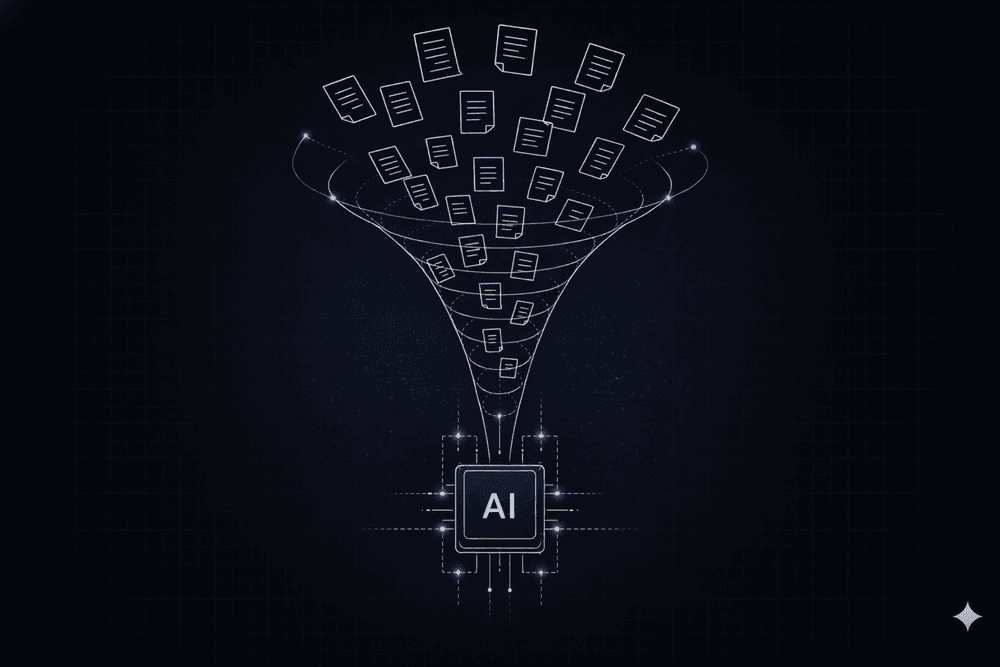
Every service request your organization processes, including IT tickets, procurement requests, HR inquiries, and invoice submissions, passes through intake before any work gets done. In most enterprises, that process still relies on manual triage, email-based routing, and human dispatchers to decide where work should go. This often results in incomplete requests, misrouted tickets, and delays that compound across high request volumes.
AI intake management and orchestration replace that manual layer with systems that interpret unstructured requests, apply business rules, and coordinate fulfillment across enterprise systems. This guide walks you through what AI intake management and orchestration do, why task-level AI fails at enterprise scale, the two-layer architecture that makes it work, and where to start.
What is AI Intake Management and Orchestration?
AI intake management is the AI-driven process of capturing, classifying, routing, and tracking internal service requests across IT, procurement, HR, and finance. Instead of human dispatchers reading emails and assigning tickets, AI agents interpret natural language requests, validate inputs, and route work to the right team or system.
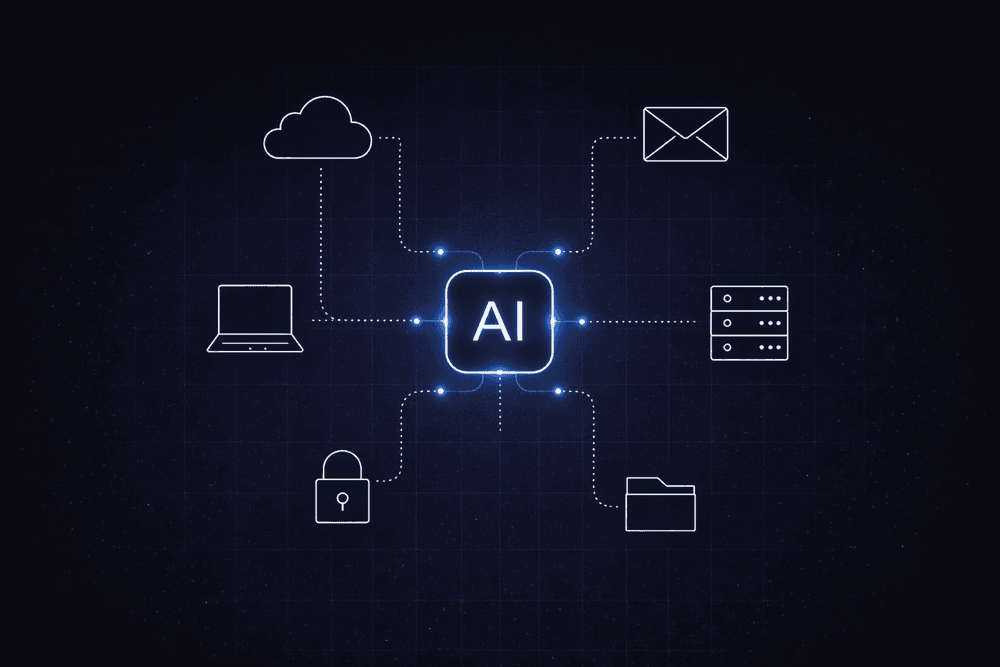
AI orchestration is the coordination layer that governs what happens after intake. It manages AI models, business rules, human approvals, and system integrations across the full lifecycle of a request, from submission to resolution.
Intake management and orchestration address different halves of the same problem. In many enterprises, legacy systems separate the intake layer from downstream execution and fulfillment, which is where requests stall, teams lose context, and manual handoffs introduce errors.
Why Task-Level AI Fails Where Workflow-Level Orchestration Succeeds
Around 88% of organizations report using AI in at least one business function, but only about 39% report enterprise-level EBIT or measurable efficiency gains, according to a 2025 McKinsey survey. The same McKinsey research attributes the shortfall to applying AI to discrete tasks rather than redesigning entire workflows. Enterprise results depend on how AI is deployed within the process, not on whether a model is present.
Here are three failure modes that surface repeatedly in enterprise deployments:
- Agent sprawl outpaces governance: enterprise apps are shipping with embedded AI agents quickly, and without centralized orchestration, this can result in dozens of uncoordinated agents operating across your stack. Agent sprawl helps to create audit-trail fragmentation and compounds security exposure.
- Data architecture blocks real-time access: agents handling intake need contextual, real-time data access. When the underlying architecture requires batch syncs or Extract, Transform, Load (ETL) pipelines to make data available, outputs become inconsistent, and handoff failures become structural.
- Security exposure accelerates: AI agents that can read documents, query enterprise systems, and execute transactions create a larger attack surface than rule-based workflows. Prompt injection, data exfiltration, and unauthorized actions are active risks, and the intake layer is where most of them enter the workflow. Controls over what data agents can access and what actions they can take need to be defined before agents go live.
The Two-Layer Architecture Behind Effective AI Intake Management
The foundational design principle is that AI agents operate inside orchestrated workflows. Rule-based workflows execute the same steps against the same inputs and produce the same results. AI agents interpret goals and decide how to achieve them, so the same request can produce different outputs depending on context. That flexibility is useful for reading unstructured documents or classifying ambiguous requests. It creates risk when the step is approving a payment or enforcing a compliance policy.
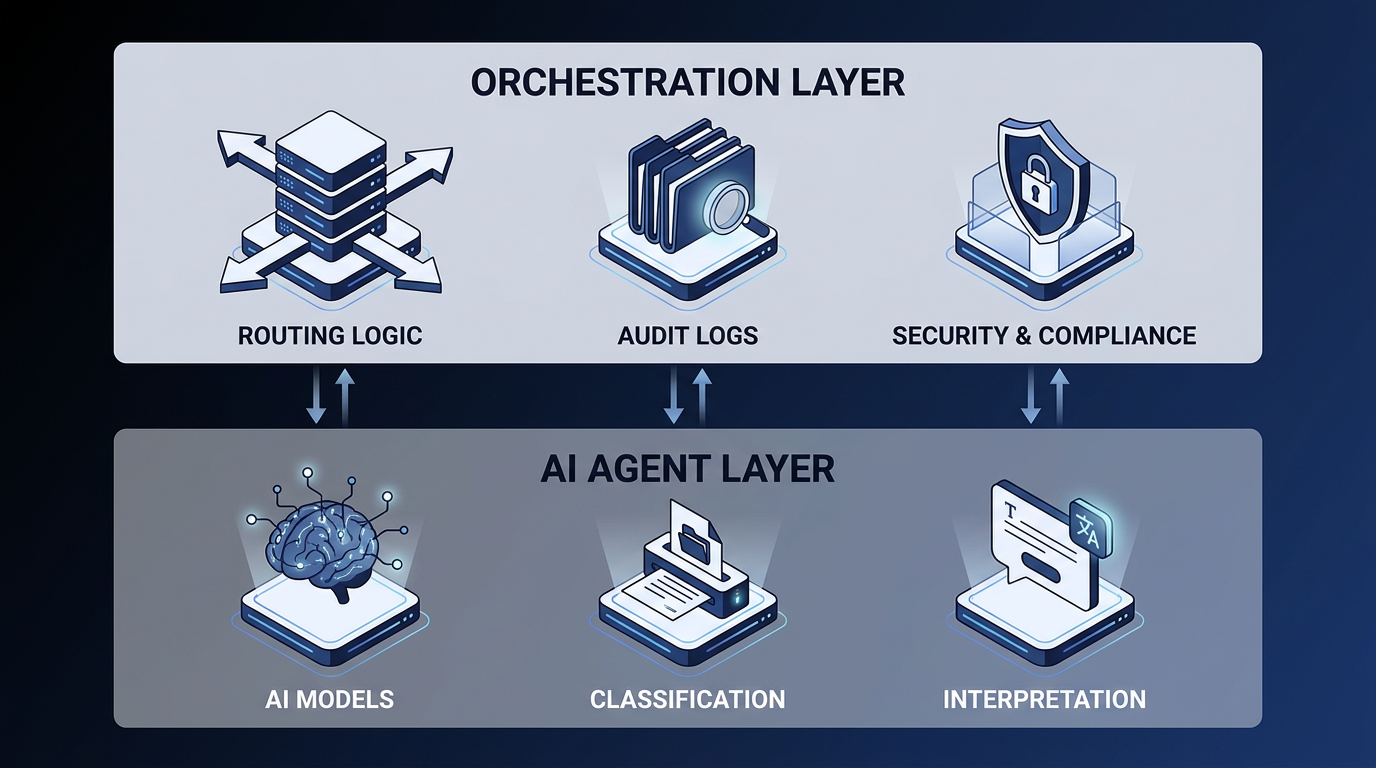
Effective AI intake management and orchestration separate the workflow into two layers:
- Deterministic orchestrationlayer: state management, routing logic, audit logging, access controls, retry logic, and timeout handling. Deterministic means the same process produces the same result every time.
- AI agent layer: reasoning, interpretation, classification, and exception handling at specific steps where structured rules cannot operate on unstructured inputs.
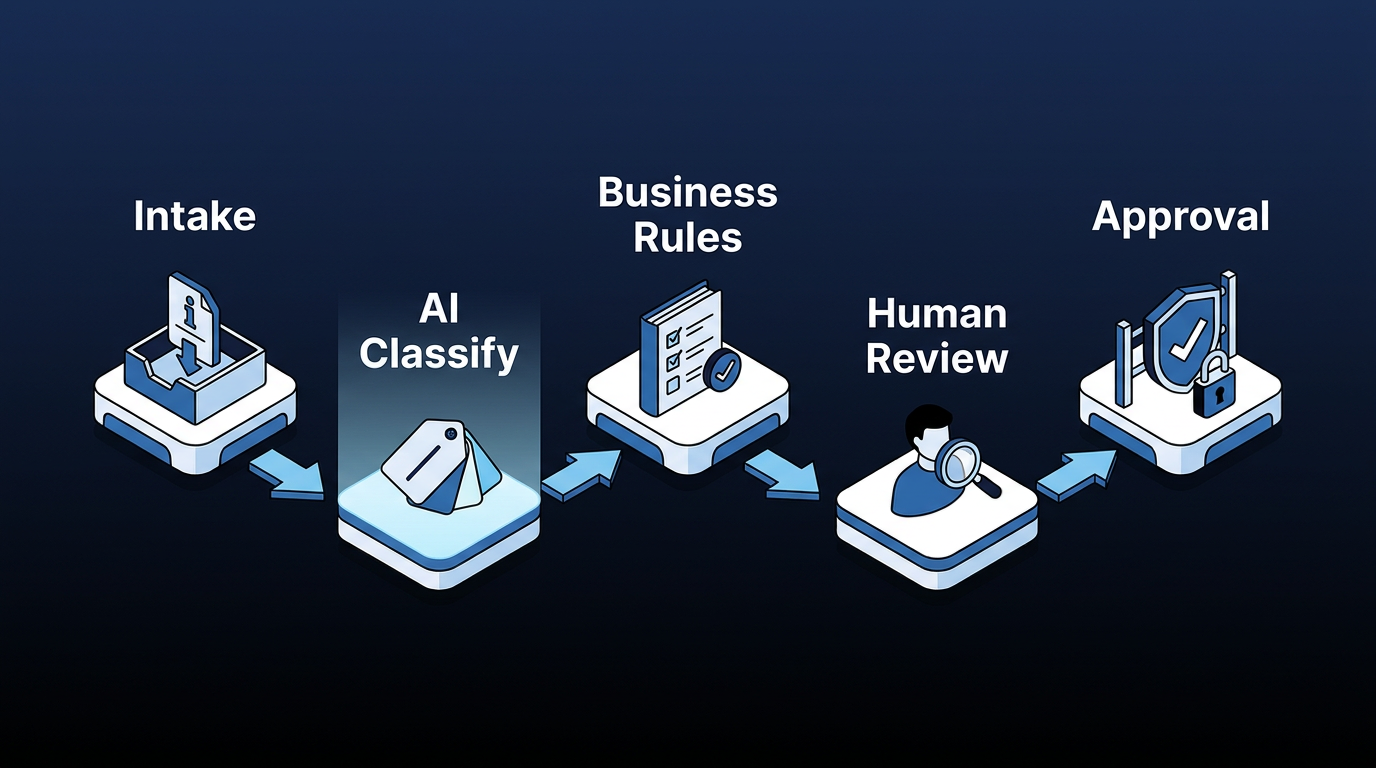
A production-ready intake workflow follows a consistent five-node pattern:
Structured intake → AI classification and extraction → business rule application → human review at thresholds → approval gate
Each node has a specific function, and the order matters. Compliance filtering sits within the business-rule layer, so non-compliant requests get flagged before they reach human review. The question at each node is which kind of logic fits the step.
Rule-based automation is well-suited to repetitive, structured inputs, while generative AI and natural language processing (NLP) are well-suited to unstructured documents and extractive tasks. AI agents are well-suited to multistep decision-making with variable inputs. Assigning the right technology to each node is what makes the task success rate, the percentage of workflows completed correctly without escalation or human intervention, climb over time.
Getting the right human involvement at each node is the other half of the design. Human-in-the-loop controls belong at specific decision gates, rather than applying them as blanket oversight across every step.
For high-stakes, regulated decisions, mandatory human review at defined thresholds helps prevent a misconfigured agent from approving transactions that a human reviewer would not approve. For high-volume, lower-risk processing, human-on-the-loop supervision by exception keeps throughput viable without sacrificing accountability.
How AI Intake Orchestration Works Across 4 Key Domains
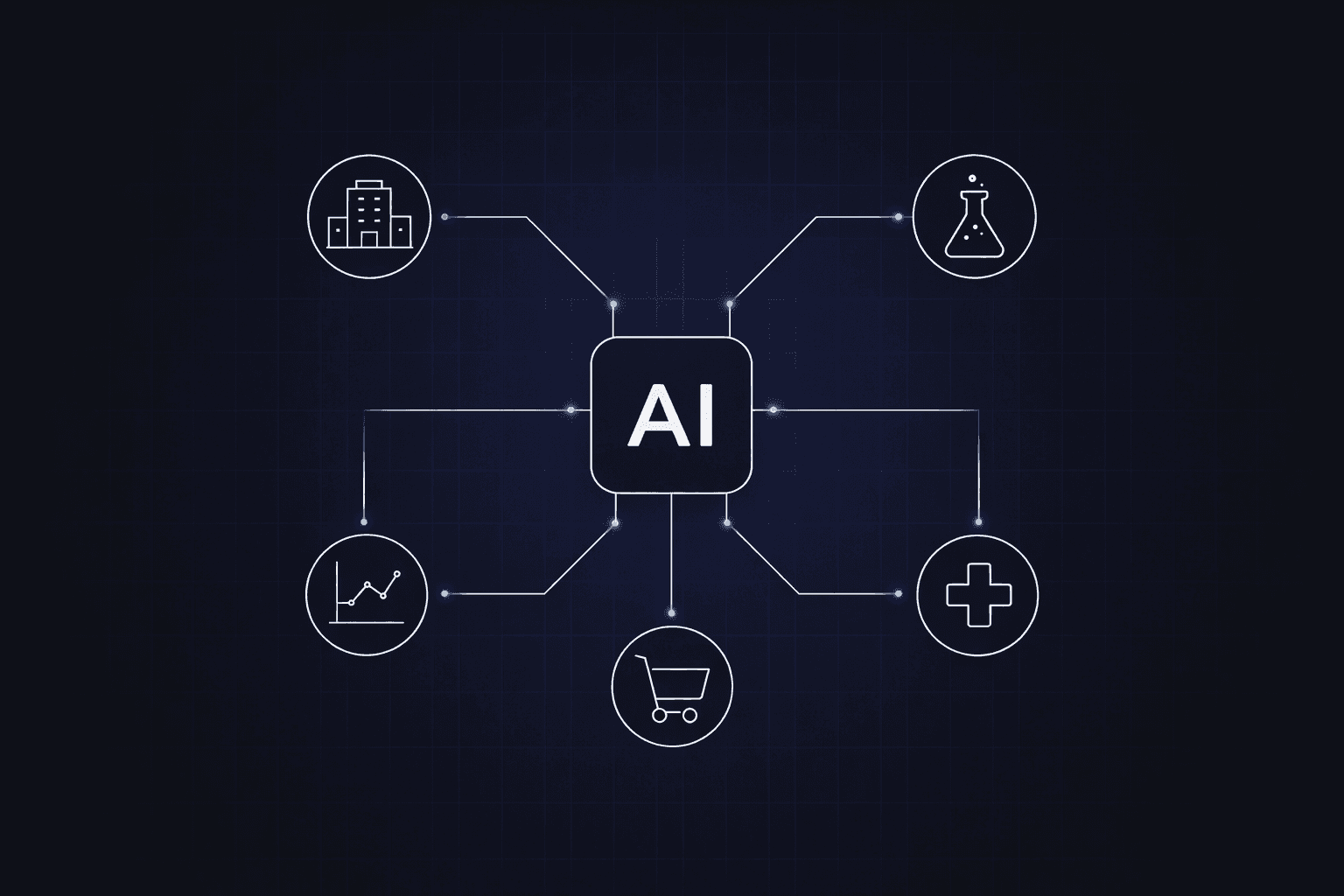
AI intake orchestration delivers value in four domains where request volume is high, and routing logic is well-defined:
IT Service Management
IT service management (ITSM) is a well-documented domain for AI intake automation. A typical workflow begins when an employee submits a request via chat, portal, or email. An AI agent identifies intent by distinguishing among incidents, service requests, and knowledge lookups, then classifies them, enriches them with configuration data, and either resolves them automatically or routes them to the appropriate human queue with fuller context.
ITSM intake automation commonly leads to rising ticket deflection rates as the AI classifier learns from historical resolutions, while reducing time-to-resolution for routine requests that AI resolves without human intervention.
Procurement
Procurement is a clear fit for intake management and orchestration because the workflow often spans conversational intake, spend classification, risk-based routing for sensitive categories, process path determination, and automated purchase order (PO) generation.
HR Operations
HR intake orchestration can route employee requests, including paid time off (PTO) submissions, benefits questions, leave management, and onboarding, through a single AI-powered entry point.
The AI classifies by request type, auto-resolves informational queries via policy knowledge base lookup, executes transactions through Human Resource Information System (HRIS) integration, and routes complex cases to the appropriate HR business partner with pre-populated context. Shared services teams running this pattern commonly report fewer routine inquiries reaching HR business partners and faster resolution times on transactional requests.
Finance and Accounts Payable
Invoice intake orchestration can include multi-channel capture, AI-driven classification and general ledger (GL) coding, three-way matching against purchase orders and goods receipts, exception detection and routing, and approval workflows.
GL coding means assigning invoice amounts to the correct general ledger account, and three-way matching means checking that the invoice, purchase order, and goods receipt align before payment. Accounts payable automation delivered an 111% ROI with a payback period of under six months, according to a Forrester analysis applying TEI methodology.
A recurring pattern across all domains discussed above is that AI reads the request; deterministic rules decide where it goes and which policy applies; and humans take over at the spending, risk, or compliance thresholds where accountability must rest with a person.
How to Sequence Your AI Intake Management and Orchestration Rollout
Although not every workflow requires agentic orchestration, the right starting point is a function with high request volume, structured approval requirements, and existing routing logic that you can formalize before layering AI on top.
Here are three implementation principles that consistently surface across enterprise deployments:
- Redesign before you automate: layering AI onto a fragmented legacy process amplifies the existing dysfunction. Decompose decisions and actions end-to-end, then determine where deterministic rules, AI agents, and human review each belong.
- Treat data access as an architecture decision, not an integration task: agents handling intake need real-time, contextual data access across systems. If your data architecture requires ETL pipelines and batch syncs to make data available, outputs will be inconsistent, and structural handoff failures will follow.
- Build governance into the workflow: define where humans remain in control, how you audit automated decisions, and which records of system behavior you retain for accountability.
Once those three principles are in place, the sequencing matters as well. ITSM and procurement are common entry points because both combine high request volumes with routing and approval logic that is sufficiently formalized to encode. Start there with one workflow, prove the design produces consistent outputs and a clean audit trail, and then carry the same orchestration layer into the next department.
Department-by-department rollout builds the foundation, and the greater advantage comes when a single intake event can span domains at once. A single new-hire request can trigger IT provisioning, facilities assignment, and HR onboarding from a single entry point, instead of three separate tickets across three separate systems.
How Elementum Applies AI Intake Management and Orchestration at Enterprise Scale
AI intake management and orchestration is where ticket routing, classification, and prioritization happen before a human touches the request. If requests enter the system incomplete, unclassified, or disconnected from policy, every IT, procurement, HR, and finance team spends real hours cleaning up what intake should have caught.
Our AI Workflow Orchestration Platform is built for this. Our Workflow Engine applies a Three-Participant Model in which humans, business rules, and AI agents operate as equals in every process, with a deterministic backbone that ensures the same workflow produces the same result every time.
Our single AI-powered front door provides a single chat-based intake interface across HR, IT, Finance, and Sales, routing every request to the appropriate AI agent and workflow, with full governance and audit trails.
Our AI Agents are pre-integrated with OpenAI, Google Gemini, Anthropic, Amazon Bedrock, and Snowflake Cortex, with no LLM vendor lock-in. We query live data through CloudLinks rather than replicating it into a separate warehouse. We never train on your data, never replicate it, and never store it in a warehouse. Production runs in 30 to 60 days.
Most customers start with a single workflow in ITSM or procurement, measure the result, and reinvest the savings into the next domain.
Contact us to see how Elementum fits your AI strategy.
FAQs About How to Use AI for Intake Management and Orchestration
These are the questions IT and operations leaders most often raise when evaluating AI for intake management and orchestration.
How Is AI Intake Management Different From Existing Ticketing Systems?
AI intake management differs from a traditional ticketing system by interpreting and routing requests rather than just capturing and logging them. Most ticketing systems do not adapt based on context or actively direct work. AI intake interprets natural-language requests, validates inputs, classifies them by type and urgency, and routes them to the correct fulfillment path before human review.
How Do You Prevent Agent Sprawl Across Multiple Intake Workflows?
Preventing agent sprawl across multiple intake workflows requires centralized orchestration. A single orchestration layer governs which agents operate, what data they access, and what actions they can take, with audit logging across every step.
Where Should You Start With AI Intake Management and Orchestration?
The best place to start with AI intake management and orchestration is a function with high request volume, structured approval requirements, and existing routing logic. ITSM and procurement are common entry points because those workflows are usually visible enough to formalize before AI is layered on top.
What Security Risks Do AI Orchestration Systems Introduce?
The primary security risks posed by AI orchestration systems stem from agents that can access, process, and transmit data without per-action human authorization. Your evaluation criteria should cover controls over data access, agent actions, and logging, as well as whether the vendor's contracts prohibit model training on customer data.
How Does AI Orchestration Differ From AI Workflow Automation?
AI orchestration differs from AI workflow automation in scope and coordination. Workflow automation typically automates a defined, linear sequence of tasks within a single system. Orchestration coordinates multiple AI agents, human decision points, and business rules across enterprise systems, including exception handling, state management, and governance.
Keep Reading
What Is Agentic AI Orchestration? An Enterprise Guide
The Enterprise Guide to Agentic AI for ITSM

Deterministic vs. Probabilistic AI: The Enterprise Guide to Building Workflows That Scale

What Is AI Agent Sprawl And How to Contain It
Human-in-the-Loop vs. Human-on-the-Loop: When to Use Each for Enterprise Workflows
What Is Workflow Automation? A Guide for Enterprise